
Men når jeg skriver og tester disse små programmer, er det tit en fordel at gøre det i den virtuelle verden.
RS485 er en halvduplex seriel protokol, der i mit tilfælde kører over en par snoet bus med en hastighed på 100.000 baud og rækker fint over hele min matrikkel. I biler bruger man CAN-bus som ligner meget, hastigheden er her 250.000 baud.
Eftersom rs485 er en broadcast-bus, er det nemt at tilkoble f.ex. en sniffer for at se, hvad der sker på RS-485-nettet.
Jeg bruger i vidudstræḱning USB-rs485-adaptere der fås til ingen penge i Kina (mindre end 10kr), og der er intet i vejen for at bruge flere selv på samme computer f.ex
- MQTT gateway bruger /dev/ttyUSB0
- til at følge trafikken: picocom -l /dev/ttyUSB1 -b 100000
- og det project man arbejder på kunne bruge /dev/ttyUSB2 indtil tingene virkede, og koden kunne flyttes ned på f.ex en Arduino
Efterhånden har det udviklet sig, så jeg tester det meste offline under Linux, hvor tests via scripts og Makefiles øger produktiviteten betragteligt.
Snart løber man tør for USB-stik, og ovenstående scenario kunne jo klares med bare een rs485-USB-adapter, og en virtuel RS485-bus inde i computeren, og det er det denne post drejer sig om.
ttybus
Dette er ikke et nyt project, Copyright noten siger 2010-2021, og source er tilgængelig på:
Example of usage:
  Create a new bus called /tmp/ttyS0mux
    tty_bus -d -s /tmp/ttyS0mux
  Connect a real device to the bus /tmp/ttyS0mux
    tty_attach -d -s /tmp/ttyS0mux /dev/ttyS0
  Create two fake ttyS0 devices, attached to the bus /tmp/ttyS0mux
    tty_fake -d -s /tmp/ttyS0mux /dev/ttyS0.0
    tty_fake -d -s /tmp/ttyS0mux /dev/ttyS0.1
Mit lille bidrag er et lille shell-script rs485bus som opretter og forbinder en pseudo-tty til rs485-bussen og returner navnet på denne enhed. kommandoen kan også forbinde fysiske rs485-USB-adaptere til rs485-bussen:
- rs485bus /dev/ttyUSB0
Typisk bruger man $(rs485bus) som i
- picocom -l $(rs485bus)
- mysgw -l $(rs485bus)
- nqload -l $(rs485bus) -U flash:w:firmware.hex:i
- rs485bus -l # viser hvad der er forbundet til rs485-bussen
COMMAND     PID  USER   FD   TYPE DEVICE SIZE/OFF NODE NAME
mysgw    1443969 peter  3u   CHR  136,3      0t0    6 /dev/pts/3
tstat    1444028 peter  3u   CHR  136,7      0t0   10 /dev/pts/7
nqload   1444162 peter  3u   CHR  136,9      0t0   12 /dev/pts/9
picocom  1444677 peter  3u   CHR 136,12      0t0   15 /dev/pts/12
Ikke raket videnskab, men en lille ting kan reducere mængden af ledninger på spisebordet
#!/bin/bash
# see https://github.com/danielinux/ttybus
#
RS485_MUX=/tmp/rs485mux
RS485_DIR=/tmp/rs485
RS485_DEV=""
if [ "$1" = -l ]; then
	lsof $RS485_DIR/* 2> /dev/null
	ps -ef | grep \ [t]ty_
	exit
fi
mkdir -p $RS485_DIR
if [ ! -S $RS485_MUX ]; then
	tty_bus -d -s $RS485_MUX
elif [ -c "$1" ]; then	# add real device how about baudrate
   	picocom -b 100000 --noreset --exit "$1" >/dev/stderr 2>&1
	nohup tty_attach -d -s $RS485_MUX $1 &
elif [ $# != 0 ]; then
	echo "rs485bus"
	echo "     return name of a free device"
	echo " /dev/tty<*> add this physical tty to rs485bus"
	echo " -l          show connected programs"
	exit
else # return name of free tty on rs485-bus
	for i in $RS485_DIR/*; do # re-use unused device
		[ $i != $RS485_DIR/\* ] || break
		if ! lsof $i; then RS485_DEV=$i; break; fi
	done >/dev/null
	if [ -z $RS485_DEV ]; then # no unused - create one
		n=1
		while [ -c $RS485_DIR/$n ]; do n=$((n+1)); done
		RS485_DEV=$RS485_DIR/$n
		tty_fake -d -s $RS485_MUX $RS485_DEV
        	sleep 0.1
        	stty -F "$RS485_DEV" raw -echo
	fi
fi
echo $RS485_DEV
NQ485 – Min RS485 protocol
Måske skulle jeg publicere min RS485-kildetekst. Den er ikke hemmelig. NQ485 har nu været stabil i nogle år, og der er ikke umiddelbart noget, jeg vil lave om lige nu. Selve protokollen er beskrevet i source-kodens header file, Så jeg tænkte jeg kunne starte med at vise den:
#ifndef NQ485_H
#define NQ485_H
/*
 * nq485.h - Copyright StorePeter Dec 2022 BeerWare ala Phk
 *
 * Intended to be small to fit in a AVR-bootloader (512/1024)
 * and run on small MCU from 8k FLASH and 1k RAM f.ex ATMEGA8
 *
 * - HOST   - typical running Linux inititating trafic on rs485 bus
 * - DEVICE - microcontroller embedded, but could be running Linux too
 *
 * NQ_DG (0x09 ^I)    Start-Of-Datagram
 * NQ_LF (0x0a ^J LF) End-Of-Datagram
 *
 * 3 kind of trafic:
 * - MySensors-datagram - 1st byte: NQ_DG, 2nd byte: 0, 11-255
 * - NQ_XFER-datagram   - 1st byte: NQ_DG, 2nd byte: 1-7
 * - DebugPrints        - 1st byte: NOT NQ_DG
 *
 * NQ_XFER Datagram from HOST
 *   NQ_DG  <2>        ... NQ_LF   # Read request
 *   NQ_DG  <3>        ... NQ_LF   # Write request
 *   NQ_DG  <0,11-255> ... NQ_LF   # MySensors transfer
 *
 * NQ_FER Datagram from DEVICE
 * When a station comes to life it will send NRQ_INFO
 *   NQ_DG  <5> = <4|1> ... NQ_LF
 * Reply to Master request
 *   NQ_DG  <6> = <4|2> ... NQ_LF   # data + ack for read request.
 *   NQ_DG  <7> = <4|3> ... NQ_LF   # ack on write request.
 *   NQ_DG  <0,11-255>  ... NQ_LF   # MySensors transfer
 *             ... <11-254> NQ_LF   # no NQ_DG. DPRINT from node 11-254
 *
 * Addressing: 11-254, gateway=0  broadcast=255
 *
 * The NQ_XFER protocol is used to get direct access to ram/flash/eeprom
 * on devices for development, debug and flashing, and can operate in
 * parallel with MySensors
 * - NQ_XFER   - 2nd byte: request 1-7 (1s byte in datagram_t)
 * - MySenSors - 2nd byte: nodeID 0,11-254,255 (1st byte in datagram_t)
 * Special Characters:
 *  NQ_ESCAPE 0x08   // 0000,1000  escaped: 0x08 \b BS -> 0x08,x48 'H'
 *  NQ_DG     0x09   // 0000,1001  escaped: 0x09 \t HT -> 0x08,x49 'I'
 *  NQ_LF     0x0a   // 0000,1010  escaped: 0x0a \n LF -> 0x08,x4a 'J'
 *
 * - values 8,9,10 is escaped with 8 ie. 0x08 -> 0x08 0x48
 * - all trafic is to/from Master, NO station-to-station trafic
 * - Simple print debuging:  "plain text message" <myNodeID> <LF>
 *
 * Multidrop half-duplex using a single pin, hardware RX, software TX
 * for rs485 another pin is needed to control transceiver, could be
 * the TX pin and do soft_TX on RX, drawback: code-size and more time
 * with disabled irq
 *
 * address is 8-bit 0x0b-0xfe, 0xff for broadcast, 0 for gateway
 *
 * The GATEWAY is a Linux box which compared to the embedded systems
 * have unlimited resources, from there we can:
 *	monitor debug prints
 *	enable/disable them
 *	reboot a station
 *	read/write any position in flash/eeprom/ram from any station
 *	load a new program into a station
 *	optional: do interactive debugging using Forth
 *
 * A DEVICE life simple:
 *  read any byte that shows up
 *  un-escape escaped characters as they arrive
 *  put it in buffer.
 *  add to checksum
 *  if we receive a command (9 ... 10)
 *      check first byte to see if it was for us
 *  if it was for us:
 *	check sum==0
 *	copy datagram to in_dg
 *	handle the request
 * <station8> on both send/receive denotes src/dest
 * trafic only from/to GATEWAY
 * debug printing is really simple:
 *	wait for no trafic, send it, f.ex.
 * +-------------------------------+------+------+
 * | "Hello World" from station 17 | 0x11 | 0x0a |
 * +-------------------------------+------+------+
 * The Gateway could present this to you as
 * 17: "Hello World" from station 17
 *
 * Thats it, happy hacking
 * StorePeter
 */
#include

// MySensors Gateway	0	//	0000
//	reserved	1	//	0001
#define NRQ_READ	2	//	0010	 read request from Master/Gateway
#define NRQ_WRITE	3	//	0011	write request from Master/Gateway
//	reserved	4	//	0100
#define NQ_IRQ		(4+1)	//	0101	unprovoked nq_xfer from device
#define NRPLY_READ	(4+2)	//	0110	 read reply from device
#define NRPLY_WRITE	(4+3)	// 	111	write reply from device
#define NQ_ESCAPE 	0x08	// 0000,1000  escaped: 0x08 \b BS -> 0x08,x48 'H'
#define NQ_DG     	0x09	// 0000,1001  escaped: 0x09 \t HT -> 0x08,x49 'I'
#define NQ_LF     	0x0a	// 0000,1010  escaped: 0x0a \n LF -> 0x08,x4a 'J'
#define NQ_MASK   	0x0b	// 0000,1011

// NQ_IRQ is initially used to send NQT_INFO to HOST on boot-up
// NQ_IRQ INFO has pos 3,4 == node-id, pos4 = [1-8) free for other use
#define NQT_INFO	1	// NRQ_READ
#define NQT_RESET	2	// NRQ_WRITE addr = 0 reset, 0x42 'B' goto bootloader
#define NQT_FLASH	3
#define NQT_RAM		4
#define NQT_EEPROM     	5
#define NQT_DPRINT     	6	// change dprint level

#define MYS_PAYLOAD_SZ	32	// MyMessage har 5 bit len = 32
#define NQ_PAYLOAD_SZ	32	// nq_xfer has 8 bit len (len to sum)
#define REPLY_HEADER_SZ	3	// req, len, station
#define INBUF_SZ	48	// min 7 + PAYLOAD_SZ
/*
 * https://mysensors.org from 2018
 * MySensors-2.3.1 is the framework used to transfer sensor data,
 * C-version is used on stm8s compiled with SDCC
 * Both C++ the MySensor way
 * and the C-version is possible on AVR/Linux
 *
 *   0      1        2      3 msb      lsb   4                     5      6        7
 * +------+--------+------+----------------+---------------------+------+--------+----------
 * | last | sender | dest | 5bit 1bit 2bit | 3bit 1bit 1bit 3bit | type | sensor | payload
 * +------+--------+------+-|----|----|----+-|----|----|----|----+------+--------+----------
 *                          len  flag vers   ptyp req  ack  type
 *
 * 8 bit - Id of last node this message passed
 * 8 bit - Id of sender node (origin)
 * 8 bit - Id of destination node
 * 5 bit - Length of payload
 * 1 bit - Signed flag
 * 2 bit - Protocol version
 * 3 bit - Payload data type
 * 1 bit - Is ack message - Indicator that this is the actual ack message
 * 1 bit - Request an ack - Indicator that receiver should send an ack back
 * 3 bit - Command type
 * 8 bit - Type varies depending on command
 * 8 bit - Id of sensor that this message concerns.
 *
 * NQ_XFER, req =(1,3-7,9} shares dest, type with MySensors
 *   0      1        2      3 msb      lsb   4                     5      6        7
 * +------+--------+------+----------------+---------------------+------+--------+----------
 * | req  | len    | dest | addr_l         | addr_h              | type | addr_e | payload
 * +------+--------+------+----------------+---------------------+------+--------+----------
 */

typedef union {
    struct { // 1. MySensors Format
        uint8_t last;
        uint8_t sender;
        uint8_t destination;
        #if defined(__BYTE_ORDER__) && __BYTE_ORDER__ == __ORDER_BIG_ENDIAN__
            uint8_t protocol:2; uint8_t flag:1; uint8_t data_len:5;
            uint8_t cmd_type:3; uint8_t req_ack:1; uint8_t is_ack:1; uint8_t data_type:3;
        #else // Default Little Endian (AVR, ESP, ARM, x86)
            uint8_t data_len:5; uint8_t flag:1; uint8_t protocol:2;
            uint8_t data_type:3; uint8_t is_ack:1; uint8_t req_ack:1; uint8_t cmd_type:3;
        #endif
        uint8_t type;
        uint8_t sensor;
        union {
            struct { uint8_t bValue; uint8_t bPrecision; } __attribute__((packed));
            struct { uint16_t uiValue; uint8_t uiPrecision; } __attribute__((packed));
            struct { int16_t iValue; uint8_t iPrecision; } __attribute__((packed));
            struct { uint32_t ulValue; uint8_t ulPrecision; } __attribute__((packed));
            struct { int32_t lValue; uint8_t lPrecision; } __attribute__((packed));
            struct { float fValue; uint8_t fPrecision; } __attribute__((packed));
            struct { uint8_t version; uint8_t sensorType; } __attribute__((packed));
            char data[MYS_PAYLOAD_SZ];
            uint8_t data_u8[MYS_PAYLOAD_SZ];
        };
    } __attribute__((packed)) mys; // Named for clarity: msg.mys.sender

    struct { // 2. NQ_XFER Format (Low-level access)
        uint8_t req;
        uint8_t len;
        uint8_t station;
        uint16_t addr;
        uint8_t type2;
        uint8_t addr_e;
        uint8_t xfer_payload[NQ_PAYLOAD_SZ];
    } __attribute__((packed)) nq;

    struct { // 3. Raw Byte Access
        uint8_t header[7];
        uint8_t raw_payload[NQ_PAYLOAD_SZ];
    } __attribute__((packed)) raw;

} __attribute__((packed)) datagram_t;

#endif // NQ485_H
]]>- Drill Press from a Ford Model A Differential (1953)
- Byg din plæneklipper om til et Farve-TV
Så her er mit bidrag til Menneskehedens overlevelse!
Jeg har denne gang fået fingre i min smukke kones Tørre-Tumbler, den larmede, sikkert et et kaput leje, ihvertfald nok til at vi skulle have en ny.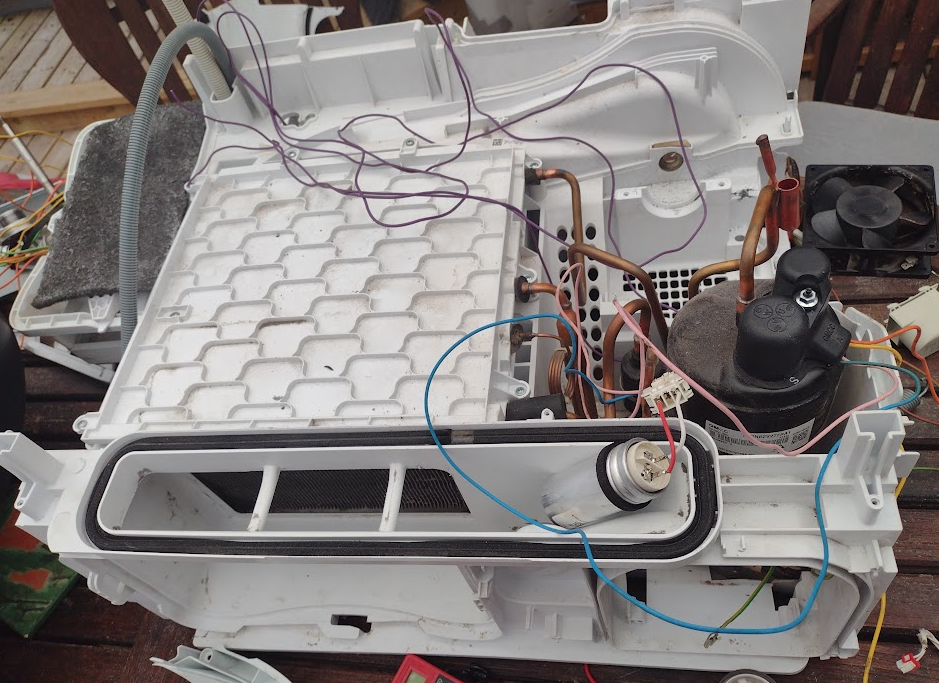
Den gamle: en Blomberg btgh473w0 var en kondens-tørretumbe med Varme-Pumpe, så jeg tænkte den kunne være basis for et lille projekt, måske en affugter til mit 3D printer rum i kælderen.
En eftermiddag og tingesten var splittet i atomer:
- 90w ac-motor til at dreje tromlen, og blæser
- Kondensat pumpe
- 16 W 220v blæser
- Skrue-kompressor gmcc rjsn82v2tzra1:
- for heat-pump
- R134a kølemiddel
- 1 fase 50Hz-220/230/240V
- heating capacity 1479 W, Power 435 W, COP 3.4 W/W
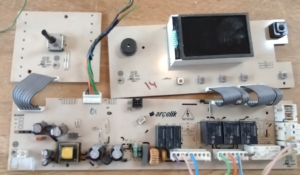
- Styrings-enhed baseret på Atmega64 MCU med:
- 1 x 16A 250VAC relæ
- 3 x 10A 125VAC relæer
- 3 x 5A 250VAC relæer
- 2 temperatur sensorer NTC 12k p38
- 2 micro-switche
- LCD med 4 x 7segment og en masse symboler
- drejeknap 16 LED-er og 6 trykknapper
- lille switchmode powersupply
- Ellers ingen power elektronik
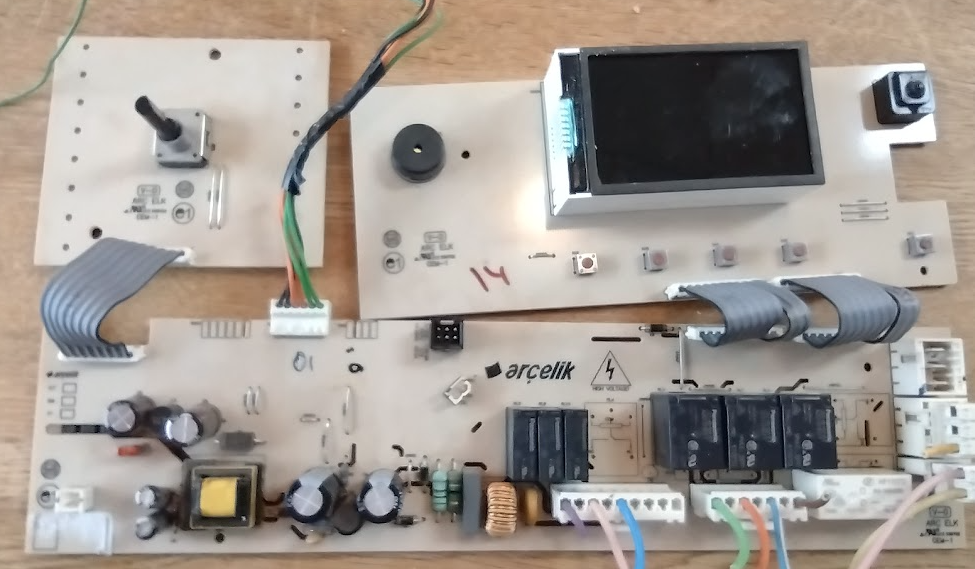
Så det er så simpelt som det kan være, og man kunne sådan set blot sætte tingene sammen på en ny måde uden brug af computer, og af-fugteren kunne være i drift i aften, så det gør vi IKKE.
Jeg har leget meget med Atmega processorer, dette er dog min første Atmega64, men det burde være lige-til , der er ingen X-tal så den kører sikkert på den interne RC-oscilator på 8 Mhz
Problemet er en Atmega64 har mange ben – nemlig 64, og dem har jeg ingen lyst til at finde ud af hvor går hen. Man kunne sikkert nøjes med at finde de 7 udgange der styrer relæerne, og de 2 temperatur følere ender sikkert i en af de 8 ADC indgange. Som du ser er vi allerede godt igang 
En lille ting der er værd at være opmærksom på er, at den indbyggede switch-mode power-supply der levere de 5V til CPU er bundet til primær-siden så det er nok klogt at afstå fra at bruge den. Brug en lille 5v USB-lader, så undgår vi et rap over fingrene, indtil videre strømføder jeg blot fra min computers USB serielle forbindelse.
Jeg har tidligere lavet en Bootloader til Atmega der kan boot to forskellige binære, så jeg kunne køre hhv. Marlin og Klipper på mine 3D-printere uden at skulle installere nyt firmware ved skift. Det er også praktisk her, så vi kan have et lille debugnings-program loaded som sekundær firmware.
- Min Blog-post fra Februar 2024: AVR DualBoot Bootloader
Første skridt er at tilpasse og installere DualBoot bootloader på Tøreren.
Jeg starter altid med at installere mit hello.c program fra Dualboot systemet, der viser io-pin status for alle portene i en uendelighed, programmet compileres og installeres på Atmega64-eren, og vi kan nu trykke lidt på knapperne og finde en passende knap til at vælge mellem de forskellige firmware. Det blev Port-D bit-5. Så en bootloader kan kompileres og installeres.
Derefter kan vi installere den originale firmware tilbage i Atmega64-eren som primær firmware og vores hello.c som sekundær firmware, så vi nu har dette layout
- 0x0000-0xF000 – Den originale Firmware uden de sidste 4 kbyte
- 0xF000- 0xFAFF – test firmwaren der blot udkriver port status.
- 0xFB00-0xFBFF – irq-vector trampolin for den sekundære firmware
- 0xFC00-0xFFFF – DualBoot bootloaderen der er baseret på optiboot
Så her den første dag, kan vi styre relæer og læse tryk-knapperne, men drejekappen, LED-erne og LCD-en er et mysterium. Det fornuftige valg her ville have været at erstatte LCD, med en tekst-baset 2×16 LCD, eller måske en lille grafisk 64×128 pixel OLED display der kan styres over i2c, ting jeg har liggende og som koster mindre end en pose bland-selv-slik.
Den roterende knap med de 16 LED
Mit hello program, afslørede at den roterende knap sendte pulser ind på CPU-ens Port A bit 0 og 1, så jeg gættede mig til at de 16 LED der er forbundet til en HC595 blev styret af bit 2-4 også på Port A – Bingo.
Reverse-Enginering af den Originale Firmware LCD kontrol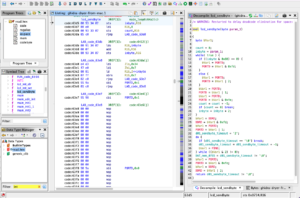
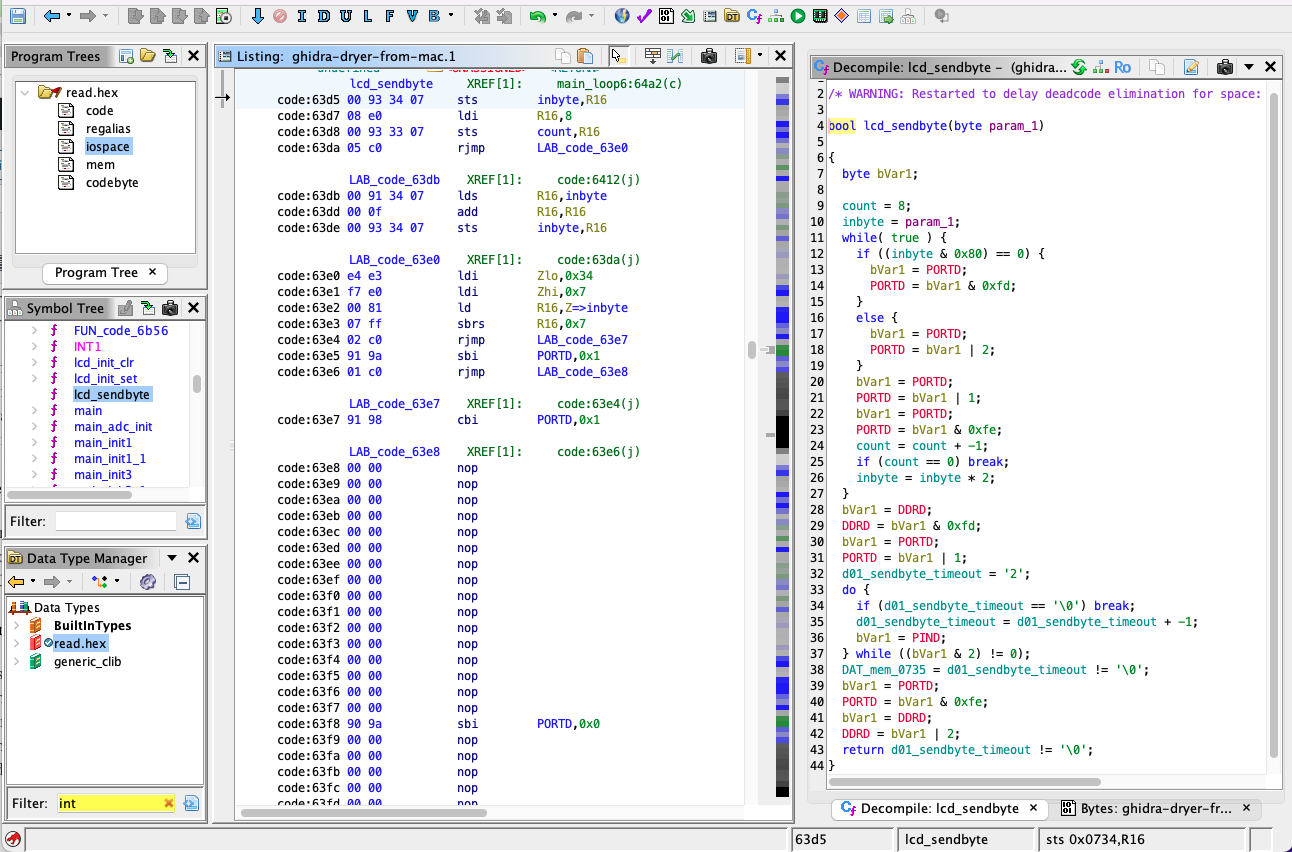
Jeg havde sikret mig en kopi af den originale firmware, som jeg så kunne kigge nærmere på med Ghidra. Ikke fordi jeg vil reverse engineere softwaren, men med et par klik var det nemt at finde ud af hvilke porte der blev brugt mest, det var Port-D bit-0 og 1 der var mest populær, og den subroutine der brugte den mest, lignede grangivelig en i2c-bitbang driver, Jeg har her nangivet den lcd_sendbyte(), et kig på den kaldende subrutine afslører også at Port-B bit-5 virker som select/reset.
Så jeg riggede en Arduino op som i2c-sniffer, den skrev jeg om i:
- Min blog-post fra Februar 2024: I²C or SMBus sniffer using Arduino,
og snart havde jeg luret hvad CPU-en og LCD-en havde af hemmelighedder:
-
- Først sendes der 16 i2c-overførsler af hver 16 stk 00-bytes – dermed bliver alle buffere flushed.
- derefter sendes der burst af de samme 16 data 187 gange per sekund
0x70, 0xc8, 0xe0, 0x80, 0xed, 0xf0, 0x78, 0x00, 0x00, 0x0a, 0xfa, 0xfa, 0xf0, 0x0f, 0x00, 0x00
- Drejer man lidt på knappen, skifter anden halvdel at transmissionen, og teksten på LCD skifter også.
Det tog det ikke lang tid at finde ud af at:
- 0x70 er i2c addressen som er 0x38, meget typisk for i2c LCD-ere
- de næste 7 bytes konfigurerer LCD-en
- de sidste 8 bytes kontrollerer de 64 segmenter på LCD-en
- Selve LCD-en kunne være baseret på en NXP PCA8538
Det var det – ikke flere hemmelighedder,
Måske der bliver et fortsættelse med beskrivelse af det lille Forth system der overtage kontrollen – stay tuned
]]>
Install HID-bootloader
The boards from china comes with a serial bootloader, so you need either a USB-serial-port, or an ST-Link to program it, so the first thing we will have to do is install an USB bootloader. There are plenty of guides available, but most is focusing on Windows, I don’t currently have a Windows computer, so here is what I use and do
- [DIY Guide] Flashing BluePill STM32duino Bootloader & QMK on Linux…
- a cheap STLINK-v2 clone from China
- sudo apt install stlink-tools to flash the new bootloader
- tkg_hid_generic_pc13.bin from TheKikGen/stm32-tkg-hid-bootloader.
- tkg-flash from the above link
- add an udev rule to make the bluepill in bootloader-mode accessible
st-flash --reset write stm32-tkg-hid-bootloader/F1/bootloader_only_binaries/tkg_hid_ 0x8000000
cd stm32-tkg-hid-bootloader/cli
make -f Makefile.linux
sudo install binaries_dist/tkg-flash /usr/local/bin
echo 'SUBSYSTEMS=="usb", ATTRS{idVendor}=="1209", ATTRS{idProduct}=="beba", GROUP="plugdev", MODE:="0666"' \
 | sudo dd of=/etc/udev/rules.d/49-bluepill.rules
sudo udevadm control --reload-rules
# Now plug-in the Blue-Pill
tkg-flash -info
DONE
]]>- Dual Applications on ATmega2560 – Marlin AND Klipper – FAIL (well almost)
- AVR DualBoot Bootloader
- Install Klipper on your old 3D-Printer and still keep Marlin
It seems many printers are moving to Klipper these days, and mine probably should too. But I am very satisfied with the Marlin software that controls my printer, as of 2023 you have to install new firmware on your Microcontroller to run Klipper – well now it’s 2024 and I want it all – all the time.
With Marlin the full program is flashed onto the CPU, meaning that if you want to implement new features you need to install new firmware on the printer. Klipper on the other hand has the high-level part of the program running under Linux, hence new features can be implemented by editing some config files or adding some Python code. Hence it is clear that the development of new features will be much easier with Klipper than with Marlin. One small example that comes to my mind is adaptive printer-bed-leveling, where you only map the Z-position of the part of the print-bed that will hold a print.
I like my 3D printers as they are, especially the workflow where I put a print file on an SD-card, put it in the printer, and print it, but I am still curious, will Klipper make a difference for me, so I would like to try it out.
This was my incentive for implementing Dual-Boot capability on the ATmega2560, which I have described in my 2 previous blog posts
The primary application which would be Marlin, it could be the firmware currently controlling your 3D-printer, it needs no modification, it might even be the original firmware.
The secondary application which would be Klipper, will need to be relocated to a free address space after the Marlin Firmware, and the Klipper firmware needs to be modified to run there, and this is the real topic of this blog post.
Compile Klipper so that it will run in the upper address space
and redirect read of data/code in Flash there
In the previous blog post, we got Klipper running in as a secondary firmware, but we had to shrink Marlin so it all would fit in the lower 128 kbyte Flash. The dualtool.sh from the previous post gives us this info
 dualtool klipper/out/klipper.elf
# This Device is runing DualBoot based on optiboot 8.3
# klipper/out/klipper.elf do not have  trampolines
# NAME[1]=klipper BASE[1]=0x17000 SIZE[1]=32244
 0x00000 - 0x17000 1st flashed with marlin DEFAULT
 0x17000 - 0x3fb00 2nd ../build.klipper/ramps_2nd/klipper.elf 32244 bytes
 0x3fb00 - 0x3fc00 irq vector table... 256 bytes
 0x3fc00 - 0x40000 DualBoot bootloader 1024 bytes
# Keep primary firmware, not erasing
# Replace secondary firmware,
no trampolines in secondary firmware
 DUAL_BASE max 0x37d0c -> 0x37d00
This time Klipper will be relocated higher to give Marlin more space (the base could be up to 0x37d00), we will choose 0x34000. The relocation is handled during the linking stage, by adding these arguments, to the final call to avr-gcc
EXTRA_LDFLAGS="-mrelax -fno-jump-tables -Wl,--section-start=.text=0x34000"
Now Klipper will be able to run in the newly assigned address space, but all its read-only data/strings are stored in Flash, this will be accessed via 16-bit pointers and Klipper will just get hold of some random code from the Marlin-code instead of date from its own address space. That was the reason we had to have both Marlin and Klipper fit in the lower 128k Flash in the previous blog post.
To find out where Klipper does these calls the source code is scanned for calls to
- pgm_read_*() functions, which only happens in klipper/src/avr/pgm.h
- *_P() functions which only happens in klipper/src/command.c
Luckily for us, the code is well written and there are only two places to understand and modify, and the fix is trivial too
READP(variable) macro
except for one call to memcpy_P() all access to read-only variables goes through this macro
  #define READP(VAR) ({                                                   \
    _Pragma("GCC diagnostic push");                                     \
    _Pragma("GCC diagnostic ignored \"-Wint-to-pointer-cast\"");        \
    typeof(VAR) __val =                                                 \
        __builtin_choose_expr(sizeof(VAR) == 1,                         \
            (typeof(VAR))pgm_read_byte(&(VAR)),                         \
        __builtin_choose_expr(sizeof(VAR) == 2,                         \
            (typeof(VAR))pgm_read_word(&(VAR)),                         \
        __builtin_choose_expr(sizeof(VAR) == 4,                         \
            (typeof(VAR))pgm_read_dword(&(VAR)),                        \
        __force_link_error__unknown_type)));                            \
    _Pragma("GCC diagnostic pop");                                      \
    __val;                                                              \
    })
This makes the Klipper source code easier to maintain since there is only one function READP() which does the heavy lifting, and has to be adapted to the underlying MCU, this is also very good for us since we just need to replace this with a version that gets hold of the flash-content from the 16-bit address space we are operating in.
  #define READP(VAR) ({                                                   \
    _Pragma("GCC diagnostic push");                                     \
    _Pragma("GCC diagnostic ignored \"-Wint-to-pointer-cast\"");        \
    typeof(VAR) __val =                                                 \
        __builtin_choose_expr(sizeof(VAR) == 1,                         \
            (typeof(VAR))pgm_read_byte_here(&(VAR)),                         \
        __builtin_choose_expr(sizeof(VAR) == 2,                         \
            (typeof(VAR))pgm_read_word_here(&(VAR)),                         \
        __builtin_choose_expr(sizeof(VAR) == 4,                         \
            (typeof(VAR))pgm_read_dword_here(&(VAR)),                        \
        __force_link_error__unknown_type)));                            \
    _Pragma("GCC diagnostic pop");                                      \
    __val;                                                              \
    })
Now we just have to implement the pgm_read_????_here() functions. The pcm_read_????() function is defined in avr/pgmspace.h and they end up using the LPM instruction to get hold of the flash content, we just need to change that to use the ELPM instruction which adds the RAMPZ to the pointer to be able to access all the Flash on the device
#define __hereLPM_classic__(addr)   \
(__extension__({                \
    uint16_t __addr16 = (uint16_t)(addr); \
    uint8_t __result;           \
    __asm__ __volatile__        \
    (                           \
        "elpm" "\n\t"            \
        "mov %0, r0" "\n\t"     \
        : "=r" (__result)       \
        : "z" (__addr16)        \
        : "r0"                  \
    );                          \
    __result;                   \
}))

#define __hereLPM_word_classic__(addr)          \
(__extension__({                            \
    uint16_t __addr16 = (uint16_t)(addr);   \
    uint16_t __result;                      \
    __asm__ __volatile__                    \
    (                                       \
        "elpm"           "\n\t"              \
        "mov %A0, r0"   "\n\t"              \
        "adiw r30, 1"   "\n\t"              \
        "elpm"           "\n\t"              \
        "mov %B0, r0"   "\n\t"              \
        : "=r" (__result), "=z" (__addr16)  \
        : "1" (__addr16)                    \
        : "r0"                              \
    );                                      \
    __result;                               \
}))
#define __hereLPM_dword_classic__(addr)         \
(__extension__({                            \
    uint16_t __addr16 = (uint16_t)(addr);   \
    uint32_t __result;                      \
    __asm__ __volatile__                    \
    (                                       \
        "elpm"           "\n\t"              \
        "mov %A0, r0"   "\n\t"              \
        "adiw r30, 1"   "\n\t"              \
        "elpm"           "\n\t"              \
        "mov %B0, r0"   "\n\t"              \
        "adiw r30, 1"   "\n\t"              \
        "elpm"           "\n\t"              \
        "mov %C0, r0"   "\n\t"              \
        "adiw r30, 1"   "\n\t"              \
        "elpm"           "\n\t"              \
        "mov %D0, r0"   "\n\t"              \
        : "=r" (__result), "=z" (__addr16)  \
        : "1" (__addr16)                    \
        : "r0"                              \
    );                                      \
    __result;                               \
}))


#define pgm_read_byte_here(address_short) __hereLPM_classic__((uint16_t)(address_short))
#define pgm_read_word_here(address_short) __hereLPM_word_classic__((uint16_t)(address_short))
#define pgm_read_dword_here(address_short) __hereLPM_dword_classic__((uint16_t)(address_short))
memcpy_P()
There is one call to memcpy_P(). Instead of reimplementing a version that works on the current 16-bit address space, it is easier to just replace memcpy_P() with a for-loop using the READP() macro from above, here are the changes needed to do that:
diff --git a/src/command.c b/src/command.c
index 39c09458..ed4dc85b 100644
--- a/src/command.c
+++ b/src/command.c
@@ -156,7 +156,13 @@ command_encodef(uint8_t *buf, const struct command_encoder *ce, va_list args)
             *p++ = v;
             uint8_t *s = va_arg(args, uint8_t*);
             if (t == PT_progmem_buffer)
+#ifdef DUALBOOT_BASE
+               for (uint16_t i=0; i<v; i++) {
+                    p[i] = READP( s[i] );
+               }
+#else
                 memcpy_P(p, s, v);
+#endif
             else
                 memcpy(p, s, v);
             p += v;

</pre
Initialization of RAMPZ
This is done by adding a few lines to the initialization of the program, here are the diffs
diff --git a/src/avr/main.c b/src/avr/main.c
index 0523af41..988d2982 100644
--- a/src/avr/main.c
+++ b/src/avr/main.c
@@ -14,6 +14,16 @@

 DECL_CONSTANT_STR("MCU", CONFIG_MCU);

+#ifdef DUALBOOT_BASE
+static void
+__attribute__((section(".init3"),naked,used,no_instrument_function))
+init3_set_eind (void)
+{
+  __asm volatile ("ldi r24,pm_hh8(__vectors)\n\t"
+                  "out %i0,r24" :: "n" (&RAMPZ) : "r24","memory");
+  __asm volatile ("out %i0,r24" :: "n" (&EIND) : "r24","memory");      // not needed
+}
+#endif

 /****************************************************************
  * Dynamic memory
Thats it – The source code is available:
GitHub.com/StorePeter/DualFirmware_Marlin_Klipper
The README.md will guide you through the process.
Best Regards
StorePeter
]]>- Dual Applications on ATmega2560 – Marlin AND Klipper – FAIL (well almost)
- AVR DualBoot Bootloader
- Install Klipper on your old 3D-Printer and still keep Marlin
In the first post in this series, I described how I wanted to have my 3D-printer be able to run Marlin firmware and the Klipper firmware without having to reflash a new firmware to the ATmega2560.
The idea was to relocate the secondary firmware to the upper half of the Flash. The Bootloader would set IVSEL before passing control to the secondary firmware, and the bootloader interrupt vector table would call the corresponding interrupt routines in the secondary firmware. This worked great for the test program I had written that did not use trampolines, but neither Klipper nor Marlin would run in the upper address space when relocated there. So even though my concept for DualBoot firmware on an ATmega2560 worked as expected in reality it was a FAIL, but there is a
Solution:
Compile the secondary firmware so that it does not rely on trampolines,
redirect read of data/code in flash to the upper address space
or simply avoid using flash above 128kbyte
The ATmega2560 is an 8-bit micro-processor working in a 16-bit address space (Harward architecture), but this processor has 256 kbyte of FLASH. Most address-related machine instructions are done in 16-bit, and it is more efficient to jump to an address in the lower range than jumping to an upper address. avr-gcc takes advantage of this and implements a trampoline area just above the interrupt vectors with jumps that will send you to code in the upper address space when you call the trampoline.
Trampolines are only needed if there is a call to some code in a different 16-bit bank, For smaller programs, like my test programs. The linker can be directed to avoid jump-tables,
Klipper is a fairly small (32kbyte flash) hence this point of the problem can be solved for Klipper.
Marlin can be larger than 128kbyte so this does not apply to Marlin, Marlin still needs to have its trampoline area in the lower address space.
So there is light at the end of the tunnel, as long as we have Marlin as the primary firmware, and can figure out how to relocate Klipper to the upper address space.
Flash is not only used for storing the program, read-only variables/tables/text-strings are often saved in FLASH since there is limited RAM. As this is a Harward CPU routines like pgm_read_byte( 16bit pointer) is used to read them. When the secondary firmware is relocated to the upper address space, the read of Flash-content will still return data from the lower flash, unless pgm_read_byte_far(32-bit address) is used. The good news is that we probably only need to patch the implementation of pgm_read_byte(16-bit address) on the secondary firmware to get around this.
The AVR DualBoot bootloader I presented in the previous blog post works as expected, we just need to make sure the secondary firmware is patched and compiled in a way so that trampolines are avoided and flash-reads are directed to the right area.
The AVR program counter and thereby address is 16-bit but this addresses words, hence the normal limit is 128 kbyte.
DualBoot:
As long as you stay below 128k,
relocation is the only modification needed for the secondary firmware
the primary firmware need no changes
For now, I will continue using only the lower 128k flash area.
A stripped-down Marlin (no sd-card support) as primary firmware, and Klipper as secondary firmware is compiled, so they can fit within the lower 128k flash.
avr-size ../build.marlin/ramps/firmware.elf ../build.klipper/ramps_2nd/klipper.elf
text data bss dec hex filename
89846 208 2696 92750 16a4e ../build.marlin/ramps/firmware.elf
32202 42 366 32610 7f62 ../build.klipper/ramps_2nd/klipper.elf
Success – Marlin @ 0x0000 – Klipper @ 0x16000
To test this out a version of the DualBoot code presented in my previous posting was made, this time the secondary firmware would be assumed to start at 0x16000. A stripped-down but otherwise unmodified version of Marlin was flashed to 0x0000, and Klipper was relocated to 0x16000 and flashed there, which worked as expected. HURRAH we now have a working – For the first time in world history a 3D printer is running Marlin and Klipper on the same firmware.
DualBoot with secondary firmware on a fixed base address
DualBoot has the load address for the secondary firmware hardcoded into the bootloader, which means that if you want to install a larger primary firmware you have to modify and flash a new bootloader, which again would mean that you would have to have physical access to the mainboard, and connect f.ex an USBasp for this, pretty inconvenient. More able people than me might be able to have the bootloader modify itself, but even if that would be possible, I prefer to have the bootloader untouched, it should after all be our backup plan. But there is an easy fix for this
DualBoot with secondary firmware dynamic base address
The problem is that the interrupt table in the bootloader has to forward the interrupt calls to the secondary firmware, so the bootloader needs to know where to jump to, this is hardcoded into the bootloader.
The interrupt vector table in the secondary firmware is itself an array of 4-byte assembly codes that call the relevant interrupt routine. Hence we can have our cake and eat if we:
- Copy the interrupt table from the secondary firmware to a fixed location just below the DualBoot bootloader.
- Let the DualBoot firmware interrupt table always call the entries just below the bootloader, this would even work with the reset address.
Hence no changes to the DualBoot bootloader presented in the previous post are necessary, just compile a version of DualBoot that expects the interrupt-table to be just below the bootloader.
dualtool.sh
I have written a small tool, to check whether the trampolines are located, in the lower 16-bit address area. dualtool.sh also checks bounds and copies the interrupt vector table to the area just below the bootloader, finally, the name of the files and the base address for the secondary firmware are saved there too.
Usage: dualtool.sh [option] [primary_firmware.elf] [secondary_firmware.elf]
           prints current firmware-map
    file.elf       firmware (primary and/or secondary) to load
    file.hex       primary firmware can be in hex format
    -w             program device with given .elf fiiles
    -e             erase device
    -E eeprom.hex  program EEPROM
    -c usbasp      use usbasp as ISP
    -b baud
    -p mcu
    -v             verbose
check for trampolines,handle vector_table, suggest DUAL_BASE
Below is the output of such a check, it uses Avrdude to access the flash in the microprocessor.
# MCU=atmega2560 FLASH=262144 VECT_BASE=0x3fb00 VECT_SZ=256 BOOT_BASE=0x3fc00 BOOT_SZ=1024
# This Device is runing DualBoot based on optiboot 8.3
# NAME[0]=marlin BASE[0]=0x00000 SIZE[0]=90054
# TRAMPOLINES_START[0]=0x000001b2
# TRAMPOLINES_END[0]=0x00000322
# ../build.klipper/ramps_2nd/klipper.elf do not have trampolines
# NAME[1]=klipper BASE[1]=0x16000 SIZE[1]=32244
0x00000 - 0x16000 1st ../build.marlin/ramps/firmware.elf 90054 bytes DEFAULT
0x16000 - 0x3fb00 2nd ../build.klipper/ramps_2nd/klipper.elf 32244 bytes
0x3fb00 - 0x3fc00 irq vector table... 256 bytes
0x3fc00 - 0x40000 DualBoot bootloader 1024 bytes
# Replace primary firmware,
DUAL_BASE min 0x15fc6 -> 0x16000
# Replace secondary firmware,
no trampolines in secondary firmware
DUAL_BASE max 0x37d0c -> 0x37d00
dualtool.sh can also flash firmware to the chip when given the -w option
dualtool.sh ../build.marlin/ramps/firmware.elf ../build.klipper/ramps_2nd/klipper.elf
That was it, my 3D printer can now run Klipper when connected to Linux computer, but still works in standalone mode under Marlin, all it takes is the flip of a switch.
The main limitation is that half the flash is not usable, but Marlin without SD-card support is removing one of the features I like about Marlin.
The Klipper firmware is much smaller than Marlin. In my next blog post, I will describe what it takes to make the Klipper firmware run flawlessly from the upper address space. Allowing us to have a full versio of Marlin running as primary firmware.
This means that in most cases we can keep our old trusted Marlin already installed on the printer, and just install Klipper alongside it. Hence we try out Klipper without burning any bridges. Just as I had envisioned from the beginning, it was probably a little more complicated than I had thought.
The source code for avr-dualboot bootloader and tool is available on:
https://github.com/StorePeter/avr-dualboot
In the last blog-post we will make Klipper run in the upper address space
Install Klipper on your old 3D-Printer and still keep Marlin
]]>This is part 1 in a series of 3 blog-posts describing how I make Marlin and Klipper coexist on my 3-Printers:
- Dual Applications on ATmega2560 – Marlin AND Klipper – FAIL (well almost)
- AVR DualBoot Bootloader
- Install Klipper on your old 3D-Printer and still keep Marlin
I have been using Marlin on my 3D printers for the last 6 years, it is convenient just to be able to copy the gcode to an SD-card, install it, and press print. The only thing that bothers me is that it is so slow to copy things to the SD-card via USB, so you are kind of forced to do it this way.
It seems a lot of printers are moving to Klipper these days, and mine probably should too, this would make network access so much better, but I will lose the simplicity of just being able to print from an SD-card. And you are burning all your bridges, the Marlin firmware on the printer will be overwritten with Klipper.
Wouldn’t it be nice if you could use both Marlin and Klipper on the same 3D-printer, Normally the printer would just run Marlin, but if it received a Klipper directions it would reboot into Klipper.
For this first version, we will settle for a physical switch which depending on the position would boot the printer in either Marlin or Klipper. In this way, we do not need to make any changes to Marlin.
On an Arduino, we normally do have two functionalities in the firmware at the same time, namely the bootloader optiboot and the application sketch we are working on.
On the Atmega reset/interrupt vectors reside at address 0x0000, but if the IVSEL bit in the MCUCR register is set the reset/interrupt vector table will start at the Boot-Loader-base-address, in case of a 1k bootloader 0x3fc00.
Optiboot is not using interrupts, but we can add an interrupt vector table whose function solely is to call the relevant interrupt routine in application number 2
The following memory layout will be chosen
- Primary Application (Marlin) 128k , 0 – 128k
- Secondary Application (Klipper) 127k, 128k – 255k
- Bootloader (modified version ofOptiboot), 1k 255k – 256k
The primary application (which would be Marlin) would not need any modification, but the max size has been decreased t0 128k
The secondary application (which would be Klipper) would need to be relocated to 0x20000, which can be done by adding an extra line to the Klipper Makefile.
Optiboot needs an interrupt table where all the entries just jumps to the interrupt routines provided by the secondary application, and on startup depending on the state of DUALBOOT_BIT either jump to 0x0000 and we will be running the primary application, or set IVSEL and jump to 0x20000 and we will be running the secondary application.
That is all there is to it, (In Denmark we say: Hvor svært kan det være). I wonder why nobody has implemented something like this before, it seems to be straightforward to implement. And I can see other uses where it would be nice to have an alternative firmware available.
Proof of Concept
As I said very few changes are needed to the bootloader, download the sources from GitHub, the changes to Optiboot are trivial as shown below.
diff --git a/optiboot/bootloaders/optiboot/optiboot.c b/optiboot/bootloaders/optiboot/optiboot.c
index 6d9e0cc..3a83565 100644
--- a/optiboot/bootloaders/optiboot/optiboot.c
+++ b/optiboot/bootloaders/optiboot/optiboot.c
@@ -702,6 +702,65 @@ void pre_main(void) {
 #endif
     "1:\n"
     );
+#ifdef DUALBOOT
+    asm("   jmp (%0+4)\n"
+        "   jmp (%0+8)\n"
+        "   jmp (%0+0xc)\n"
... Lines removed, but I am sure you figured this out ...
+        "   jmp (%0+0xdc)\n"
+        "   jmp (%0+0xe0)\n"
+        ::"i"((uint32_t)DUALBOOT_BASE));
+#endif
 }


@@ -821,6 +880,15 @@ int main(void) {
       watchdogConfig(WATCHDOG_OFF);
       // Note that appstart_vec is defined so that this works with either
       // real or virtual boot partitions.
+#ifdef DUALBOOT
+       MCUCR = 1<<IVCE;                // enable interrupt vectors change
+       if ((DUALBOOT_PIN && (1<<DUALBOOT_BIT)) == 0) {
+               MCUCR = 1<<IVSEL;       // move interrupt vectors to bootloader
+               asm("  jmp 0x3000\n"::);
+       }
+       MCUCR = 0;                      // interrupt vectors at 0
+#endif
       __asm__ __volatile__ (
         // Jump to 'save' or RST vector
 #ifdef VIRTUAL_BOOT_PARTITION
To compile and flash this to the atmega250 I use an USBasp. I have created my own Makefile which just uses the Makefile in Optiboot, here are the relevant lines from my Makefile
MCU.    = atmega2560
AVRDUDE = avrdude
TTY     = $(wildcard /dev/serial/by-id/usb-*)
DEVICE  = atmega2560
ISP     = $(AVRDUDE) -c arduino -P $(TTY) -b 115200 -p $(DEVICE)
DUAL_DEFS      += -DDUALBOOT=$(DUAL_BASE) -DDUALBOOT_PORT=$(DUAL_PORT) -DDUALBOOT_BIT=$(DUAL_BIT)
OPTIBOOT_DIR   := optiboot/optiboot/bootloaders/optiboot
OPTIBOOT_FLAGS += UART=0 BIGBOOT=1
OPTIBOOT_FLAGS += LED=B7 LED_START_FLASHES=3
OPTIBOOT_FLAGS += ISPTOOL=usbasp ISPPORT= ISPSPEED= LOCKFUSE=FF
OPTIBOOT_DUAL  += DEFS="$(DUAL_DEFS)" CUSTOM_VERSION=100
OPTIBOOT_SRC   := $(OPTIBOOT_DIR)/optiboot.c
OPTIBOOT_ELF   := $(OPTIBOOT_DIR)/optiboot_$(MCU).elf

# .elf   -> make $(MCU) compiles to .elf
# .flash -> make $(MCU)_isp will flash bootloader to device too
# optiboot -> no changes
# dualboot -> adds interript vector table and dualboot capability
optiboot.flash optiboot.elf dualboot.flash dualboot.elf: $(OPTIBOOT_SRC) Makefile
        make -C $(OPTIBOOT_DIR) $(OPTIBOOT_FLAGS) \
                $(if $(filter dualboot.%,$@), $(OPTIBOOT_DUAL)) \
                clean \
                $(MCU)$(if $(filter %.flash,$@),_isp)
        cp $(OPTIBOOT_ELF) $(@:flash=elf)
        $(if $(filter %.flash,$@), mkdir -p  $(FIRMWARE_DIR); cp $(@:flash=elf) $(FIRMWARE_DIR))
To prove the concept I just wrote a tiny application that does interrupt-driven UART communication. The source is below, all the watchdog circus is not necessary but at one point I believed the Watchdog timer was causing me trouble.
#include <avr/pgmspace.h>
#include <avr/wdt.h>
#include <util/delay.h>
#include <stdio.h>

// for atmega2560
#define BOOTLOADEREND 0x3ffff

#define STR_HELPER(s) #s
#define STR(s) STR_HELPER(s)
// IO-pin is referenced as Port,Bit f.ex arduino pin13 is B,7
// hence we only only need one define per pin passed from the Makefile
//, where optiboot uses separate defines for port and bit
// _... macroes unravels the setting needed
// G_... is only used by the _... macroes
#define G_REG(reg,port,bit)	reg ## port
#define G_BIT(port,bit)		bit
#define G_MASK(port,bit)	(1<<bit)
#define G_STR(port,bit)		STR(port) "," STR(bit)
#define _PORT(...)	G_REG(PORT,__VA_ARGS__)
#define _DDR(...)	G_REG(DDR,__VA_ARGS__)
#define _PIN(...)	G_REG(PIN,__VA_ARGS__)
#define _BIT(...)	G_BIT(__VA_ARGS__)
#define _MASK(...)	G_MASK(__VA_ARGS__)
#define _STR(...)	G_STR(__VA_ARGS__)

char volatile *cpt;

ISR(USART0_UDRE_vect)
{
	char c = *cpt++;
	if (*cpt == 0) {			// c was the last char in buffer
		UCSR0B &= ~(1 << UDRIE0); // disable UDRE interrupt } UDR0 = c; } void uart_init() { uint16_t baud_setting = (F_CPU / 4 / BAUD - 1) / 2; if (baud_setting > 4095) {
		UCSR0A = 0;
		baud_setting = (F_CPU / 8 / BAUD - 1) / 2;
	} else {
		UCSR0A = 1 << U2X0; } UBRR0H = baud_setting >> 8;
	UBRR0L = baud_setting;
	UCSR0B = 1 << TXEN0;
}

void puts_polled(char *str)
{
	while (*str) {
		while (!(UCSR0A & (1 << UDRE0))) ;	// wait for UDR0 empty
		UDR0 = *str++;
	}
}

void puts_irq(char *str)
{
	cpt = str;
	UCSR0B |= (1 << UDRIE0);		// enable UDRE interrupt
	while (UCSR0B & (1 << UDRIE0)) ; // bit will be cleared by final char interrupt } char watchdog_count = 0; volatile char sleeping; ISR(WDT_vect) { sleeping = 0; watchdog_count++; puts_polled(" Bow Wow\r\n"); } void cause_of_reset() { puts_polled("\r\n-> ");
	if (MCUSR & (1 << WDRF)) {
		watchdog_count++;
		puts_polled("Watchdog");
	}
	if (MCUSR & (1 << BORF)) {
		puts_polled("Brownout");
	}
	if (MCUSR & (1 << EXTRF)) {
		puts_polled("External");
	}
	if (MCUSR & (1 << PORF)) {
		puts_polled("Power On");
	}
	puts_polled(" Reset\r\n");
	MCUSR = 0;
}

int main(void)
{
	char buffer[100];

	uart_init();
	cause_of_reset();
	puts_polled(STR(NAME) " hello polled print, base:" STR(BASE));

	wdt_enable(WDTO_2S);
	sei();

	_DDR(DUALBOOT_PORT_BIT) &= ~_MASK(DUALBOOT_PORT_BIT);	// 50 k internal pullup
	_PORT(DUALBOOT_PORT_BIT) |= _MASK(DUALBOOT_PORT_BIT);
	while (1) {
		wdt_reset();

		puts_irq(STR(NAME) " hello IRQ print, base: " STR(BASE));
		sprintf(buffer, ", Port,Bit: " _STR(DUALBOOT_PORT_BIT) " = %s, watchdog_count=%d\r\n",
			(_PIN(DUALBOOT_PORT_BIT) & _MASK(DUALBOOT_PORT_BIT)) ? "high" : "low",
			 watchdog_count);
		puts_irq(buffer);
		if (watchdog_count==1) {
			puts_irq("Enable Watchdog IRQ, set WDTCSR = 1<<WDIE, next expect Barking\r\n");
			WDTCSR = 1 << WDIE;	// enable watchdo interrupts
		}
		puts_irq("sleep - watchdog is set to 2 sec\r\n");
		sleeping = 1;
		while (sleeping);
		puts_irq("Survived Watchdog\r\n");// WDTCSR.WDIE must be set to enable watchdog interrupt
	}
}
Both primary.elf and secondary.elf are compiled from the same source, below are the relevant lines from the Makefile
LDFLAGS += -Wl,--section-start=.text=0x20000

primary.elf: hello.c
        $(CC) -DNAME=$(@:.elf=) -DBASE=0 $(CFLAGS) -o $@ $<

secondary.elf: hello.c
        $(CC) -DNAME=$(@:.elf=) -DBASE=0x20000 $(CFLAGS) $(LDFLAGS) -o $@ $<

%.hex: %elf
	avr-objcopy  -j .text -j .data -O ihex $< $@

flash: primary.hex secondary.hex
	$(ISP) -U flash:w:primary.hex:i -U flash:w:secondary.hex:i
To flash both firmware to the atmega2560. Avrdude is used to program it via the newly installed dualboot version of the optiboot bootloader on the atmega2560, the USBasp was only used for flashing the bootloader.
Success – but Klipper FAILING as the secondary application
So it is testing time, to see what is going on the serial port I am just using
picocom -l /dev/serial/by-id/usb-* -b 115200
below is the output from my hello.c program
-> External Reset
primary hello polled print, base:0
primary hello IRQ print, base: 0, Port,Bit: G,0 = high, watchdog_count=0
sleep - watchdog is set to 2 sec

-> Watchdog Reset
primary hello polled print, base:0
primary hello IRQ print, base: 0, Port,Bit: G,0 = high, watchdog_count=1
Enable Watchdog IRQ, set WDTCSR = 1<<WDIE, next expect Barking
sleep - watchdog is set to 2 sec
 Bow Wow
Survived Watchdog
primary hello IRQ print, base: 0, Port,Bit: G,0 = high, watchdog_count=2
sleep - watchdog is set to 2 sec

-> Watchdog Reset
....
Now we will pull pin G,0 down to ground and try again and we will see
-> External Reset
secondary hello polled print, base:0x20000
secondary hello IRQ print, base: 0x20000, Port,Bit: G,0 = low, watchdog_count=0
sleep - watchdog is set to 2 sec

-> Watchdog Reset
secondary hello polled print, base:0x20000
secondary hello IRQ print, base: 0x20000, Port,Bit: G,0 = low, watchdog_count=1
Enable Watchdog IRQ, set WDTCSR = 1<<WDIE, next expect Barking
sleep - watchdog is set to 2 sec
 Bow Wow
Survived Watchdog
secondary hello IRQ print, base: 0x9000, Port,Bit: G,0 = low, watchdog_count=2
sleep - watchdog is set to 2 sec

-> Watchdog Reset
Everything works as expected, now it is time to try some real applications,
- Marlin is compiled with out any changes
- Klipper need the addition of –section-start directive to instruct the linker to relocate klipper to the upper address space.
- flash as before
Marlin works fine, but Klipper FAIL. hmm, the next thing to try is of course:
- Klipper compiled out of the box without any changes
- Marlin relocated to 0x20000
- flash as before
This time Klipper works as expected, but Marlin FAIL.
So we FAILED on our initial goal but also proved that dual applications are indeed possible.
- What is wrong with Klipper or Marlin why will they not run in the upper address space, or
- Are more changes needed to Optiboot to make this work?
The seasoned hacker has probably figured out what is wrong by now, a little hint might be that the atmega2560 is an 8-bit micro-processor working in a 16-bit address space (Harward architecture), but the processor we are using has 256 kbyte of FLASH memory (18bit)
So there might be good reasons why nobody has implemented a dualboot-bootloader on AVR before ;-(
I am not giving up, and I will succeed, you can follow my quest here:
]]> I had a need to continuously monitor a I²C bus, so I looked around for an Arduino solution, but didn’t find anything that suited my needs, so I wrote one myself. None of the I²C-sniffers I was able to find could monitor continously, if you only need a sample-size that will fit in the 2kbyte Arduino RAM, there are many options:
- Gthub Testato I2C-Sniffers Overview
- Bill Grundmann’s i2c sniffer from 2009
- Github teknoid/i2c-sniffer from 2919
In Testato overview of I²C-sniffers, he states A Arduino board or a ATmega or ATtiny as a logic analyzer is not a serious tool. It is a gimmick. Now you have been warned, we are moving into the land of the impossible. To be fair I am not attempting to build a logic analyzer I am building an continues I²C transfer logger, which could be useful in figuring out potential i2c-clashes when using unsupported graphics cards in an older iMac. This blog-post only deals with the low-level I²C-sampling. the end product here will be something like S 4e+ 48+ P being displayed in a terminal-window.
To control an I²C device from Linux I use an USBASP with Till Harbaum’s I²C-Tiny-USB firmware, checkout my blog-post from 2015 i2c og One-Wire it is in Danish, for English or other languages, there is a Translate button on the top right hand side on the WEB-page.
Basic information abut I²C can be found at I²C wikipedia, while timing and the full standard is at NXP I²C-bus specification
- in I²C standard mode (100 kHz) the hold time is generally 4 or 4.7 usec (NXP table 11)
in 4 usec an atmega*8 can execute 64 instructions. - in I²C fast mode (400 kHz) the SCL high time can be as low as 0.6 usec, so this gimmick will not be able to reliably detect that.
It is worth noting that the SMBus, and many common I²C devices like PCF8574 operate at max 100kHz.

This sniffer is divided into two parts, a small sampler running on the Arduino, sending serial data to a Linux/MacOs host where a another program presents the data to the user. You could of course tailor this to your specific needs to obtain the information you are hunting.
The key to this implementation is running the serial port at 2 Mbit/sec avoiding a lot of handshaking on the Arduino part, just write the data to UartDataRegister and you are done, as long as you are doing this more than 8 assembler instructions apart, everything should be fine.
I have good experience using 5.3 Mbit/s on serial ports while debugging atmega/stm8s, this moves the buffering complexity out of the micro-controller and lets the USB serial-adapter handle it, although I must say that I prefer PL2303 over the CH340 which is standard in Chinese Arduino-clones. I have written about high speed debugging in:
- Debugging @ 5.3Mbit/sec (5333333 Baud) on Arduino and other Embedded systems
- Debugging @ 5.3Mbit/sec (5333333 Baud) on stm8s microprocessors
    ___    _   _   _   _   _   _   _   _   _     _   _   _   _   _   _   _   _   _   _____
SCL    \__/1\_/2\_/3\_/4\_/5\_/6\_/7\_/8\_/9\___/1\_/2\_/3\_/4\_/5\_/6\_/7\_/8\_/9\_/
    _     ___ ___ ___ ___ ___ ___ ___ ___       ___ ___ ___ ___ ___ ___ ___ ___ ___     __
SDA  \___X___X___X___X___X___X___X___X___X_____X___X___X___X___X___X___X___X___X   \___/
    Start <----- 7 bit addres ------>  rw  ack  <-------- 8 bit Data ---------> Nack  Stop

state          SCL   SDA    comment
(S) Start       1     \_    controller pull SDA low
(0) bit=0       _/    0     SDA unchanged while SCL high
(0) bit=0       \_    0     controller pull SCL low SCL
(1) bit=1       _/    1     SDA unchanged while SCL high
(1) bit=1       \_    1     controller pull SCL low
(P) Stop        1     _/    controller releases SDA
The I²C protocol consists of:
- Start condition
- a number of 9 bit transfers
- Stop condition.
A 9 bit bursts can further be decoded as:
- first one is: 7 bit address. 1 bit r/w, 1 bit Ack/Nack
- the following are: 8 bit data, 1 bit Ack/Nack
the target supplies Ack, or nothing which (due to the pull-up) will be seen as a Nack
The protocol I designed for the uplink, sends 2 bytes on rs232 for every 9 bit burst seen on I²C, so for a 100 kHz I²C bus this would amount to max 200 kbit/sec so the UART connection should never be a bottle-neck here. 2 Mbit/sec is max baudrate for the atmega UART, so thats what I am using here.
I have included code to check the sampling rate, which was very help full when developing/tuning the program, Timer-0 running @ 16 MHz is used to measure instructions per loop, which maxes out at 25, of which 5 can be attributed to the code measuring it.
The sampling rate is better than 20/16Mhz -> 1.25 usec -> 800 kHz (25/16 ->640kHz with sample rate report enabled), in standard I²C bus speed @ 100kbit/sec. no state is faster than 4 usec (125kHz).
Timer-1 running @ 62.5 kHz, is used to report the I²C-speed and idle time between transaction. The time is coded logarithmic in 16 steps from 16 usec to 1 second, before being send to Linux/MacOS host.
Below is the output by i2c_snffer, sniffing on a LCD controlled via pcf8574 from another Arduino. The traffic is the result of sending one character to the LCD every 10 seconds. Exercise: what are the two characters beeing send? the answer can be found at the end of this post
$ i2c_sniffer -?
Usage: i2c_sniff <options>
 -l /dev/ttyUSB0
 -v show speed. idle time
 -vv also show sample, 16cycles = 1usec
 -vvv also show raw input

$ i2c_sniffer -vv -l /dev/ttyUSB1
i2c_sniffer on /dev/ttyUSB1 @ 2000000
tty_open /dev/ttyUSB1 baud=2000000 fd=3
dtr/rts reset
i2c_sniff
idle 8 seconds idle 32 msec sample=25 cycles
S 4e+ 48+ P 10 kHz idle 16 usec
S 4e+ 4c+ P 20 kHz idle 16 usec
S 4e+ 48+ P 20 kHz idle 32 usec
S 4e+ 99+ P 20 kHz idle 32 usec
S 4e+ 9d+ P 20 kHz idle 32 usec
S 4e+ 98+ P 20 kHz idle 10 seconds
S 4e+ 48+ P 10 kHz idle 16 usec
S 4e+ 4d+ P 20 kHz idle 16 usec
S 4e+ 49+ P 20 kHz idle 16 usec
S 4e+ a9+ P 20 kHz idle 16 usec
S 4e+ ad+ P 20 kHz idle 32 usec
S 4e+ a8+ P 10 kHz idle 10 seconds
...
- S Start condition
- + Ack
- – Nack
- P Stop condition and the frequency seen for this transaction
- idle time between transactions
The source code consist of 3 files
- i2_sniff.h 96 lines also describes the i2c and the uplink protocol
- i2_sniff.ino 190 lines Arduino code
- i2c_sniffer.c 305 lines, on Linux/Macos to compile execute make i2c_sniffer
Thats it, hope it might help some-one, as always the code is written by me and the license is (c) Beerware
i2c_sniff.h
#ifndef i2c_sniff_h
/*
 * i2c sniffer by storepeter (C) 2022 Beerware
 * sends sampled data on rs232 @ 2Mbit for further analysis on linux
 *
 * https://en.wikipedia.org/wiki/I%C2%B2C
 * for timing i2c timing see https://rheingoldheavy.com/i2c-signals/
 *     ___    _   _   _   _   _   _   _   _   _     _   _   _   _   _   _   _   _   _   _____
 * SCL    \__/1\_/2\_/3\_/4\_/5\_/6\_/7\_/8\_/9\___/1\_/2\_/3\_/4\_/5\_/6\_/7\_/8\_/9\_/
 *     _     ___ ___ ___ ___ ___ ___ ___ ___       ___ ___ ___ ___ ___ ___ ___ ___ ___     __
 * SDA  \___X___X___X___X___X___X___X___X___X_____X___X___X___X___X___X___X___X___X   \___/
 *     Start <----- 7 bit addres ------>  rw  ack  <-------- 8 bit Data ---------> Nack  Stop
 *
 * state		SCL	SDA	comment
 * (N) inactive		1	1	pulled up, free to claim arbitration
 * (S) Start		1	\_	controller pull SDA low (falling edge)
 * (i) idle		1	0	held low by controller
 * (0) bit=0		_/	0	SDA unchanged while SCL high (rising edge)
 * (0) bit=0		\_	0	controller pull SCL low (falling edge)
 * (1) bit=1		_/	1	SDA unchanged while SCL high (rising edge)
 * (1) bit=1		\_	1	controller pull SCL low (falling edge)
 * (P) Stop		1	_/	controller releases SDA  (rising edge)
 * (CS) clock stretch	0	X	target pulls SCL low until SDA set (if rd) (while it was low)
 * (Sr) Repeated Start	1	\_	Same as start but not stop condition since last start
 *
 *  7bit address: S adr7 R/W Ack data8 Ack data8 Nack Stop
 * S xxxxxxx r/w ack
 * 10bit address: S 11110 adr2 R/W Ack adr8 data8 Ack data8 Nack Stop
 * S 11110xx r/w ack xxxxxxxx ack
 *
 * SMBus is i2c @ 100kbit
 *
 * The Protocol send to linux is simple
 * State 2 bit + 4 bit data,
 *
 * START + 4 msb
 * DATA  + 4 msb
 * Ack   + 4 lsb
 * Nack  + 4 lsb
 * STOP  + 4bit time since last START, logarithmic
 * IDLE  + 4bit time since last STOP/IDLE, logarithmic, idle -> 2 Hz heartbeat
 */
#define START	0x20
#define DATA	0x30
#define ACK	0x40
#define NACK	0x50
#define STOP	0x60
#define IDLE	0x70
#ifdef RECORD_SAMPLING_TIME
#define SAMPLE_CHK	0x90
#endif
/* timing 400kHz, minimum xfer would be 20 bit i.e. 20kHz = 50 usec. is enough resolution
 * Timer prescaler options
 * 16 MHz  8_prescaler -> 500 nsec
 * 16 MHz  64_prescaler -> 4 usec
 * 16 MHz  256_prescaler -> 16 usec	This i what we will use
 * 16 MHz  1024_prescaler -> 64 usec
 * 0x0001 0x01  16 usec
 * 0x0002 0x02  32 usec
 * 0x0004 0x03  64 usec
 * 0x0008 0x04 128 usec
 * 0x0010 0x05 256 usec
 * 0x0020 0x06 512 usec
 * 0x0040 0x07   1 msec
 * 0x0080 0x08   2 msec
 * 0x0100 0x09   4 msec
 * 0x0200 0x0a   8 msec
 * 0x0400 0x0b  16 msec
 * 0x0800 0x0c  32 msec
 * 0x1000 0x0d  64 msec
 * 0x2000 0x0e 128 msec
 * 0x4000 0x0f 256 msec
 * 0x8000 0x10 512 msec
 *
 * 0xFFF8 0x80  1 sec	i.e 1Hz heartbeat when no trafic
 */
/* S adr7 R/W Ack  - data8 Ack - data8 Nack - Stop
 * 0x2? 0x4?       - 0x3? 0x4? - 0x3? 0x5?  - 0x6? 0x80 0x80..
 * logarithmic idle timer:
 * STOP=0x63 ->  32 usec -> 400kBit 20bit  50usec
 * STOP-0x65 -> 128 usec -> 100kBit 20bit 200usec
 */
//    prev    currrent
//    scl sda scl sda
// 	0 0	0 0	-
// 	0 0	0 1	normal setting of SDA
// 	0 0	1 0	SDA bit=0  stable until scl_pulldown
// 	0 0	1 1	UNEXPECTED SDA should not change when SCL changes
// 	0 1	0 0	normal clearing of SDA
// 	0 1	0 1	-
// 	0 1	1 0	UNEXPECTED SDA should not change when SCL changes
// 	0 1	1 1	SDA bit=1 stable until scl_pulldown
// 	1 0	0 0	bit=0	scl_pulldown
// 	1 0	0 1	bit=1	scl_pulldown
// 	1 0	1 0	-
// 	1 0	1 1	STOP condition
// 	1 1	0 0	bit=0	scl_pulldown
// 	1 1	0 1	bit=1	scl_pulldown
// 	1 1	1 0	STAR conditionT
// 	1 1	1 1	-

#endif	// i2c_sniff_h
i2c_sniff.ino – Arduino IDE compiles and loads this onto HW
#ifdef NQ_HEADER_BEGIN_do_not_delete
#endif	// NQ_HEADER_END_do_not_delete
/*
 * i2c sniffer by storepeter (C) 2022 Beerware
 * sends sampled data on rs232 @ 2Mbit for further analysis on linux
 *
 * SCL PB1 - pin 9 on Arduino	to A5 SCl on arduino being monitored
 * SDA PB0 - pin 8 on Arduino	to A4 SDA on arduino being monitored
 */
#define  RECORD_SAMPLING_TIME 1
#ifdef ARDUINO
// I am using my own build system,
// here is what is needed to make this compile from the Arduino IDE
# define NQ_PUBLIC
# if   defined(__AVR_ATmega8__)
#  define _BV_URSEL _BV(URSEL)	// atmega8 need to set URSEL to modify UCSRC
# else				// Newer atmega168/atmega328p
#  define _BV_URSEL 0		// atmega8 need to set URSEL to modify UCSRC
#  define TXEN   TXEN0
#  define U2X    U2X0
#  define UBRRL  UBRR0L
#  define UCSRA  UCSR0A
#  define UCSRB  UCSR0B
#  define UCSRC  UCSR0C
#  define UCSZ0  UCSZ00
#  define UCSZ1  UCSZ01
#  define UDRE  UDRE0
#  define UDR    UDR0
# endif
#else
# include "nq.h"
#endif

#include "i2c_sniff.h"

#define SCL _BV(1)
#define SDA _BV(0)

const uint8_t my_log[256]
    __attribute__((aligned(256)))	// aligned to 256 so r2,r3=my_log -> r3=index
    __attribute__((section(".fini9"))) = {
	0 + STOP, 1 + STOP, 2 + STOP, 2 + STOP, 3 + STOP, 3 + STOP, 3 + STOP, 3 + STOP, 4 + STOP, 4 + STOP, 4 + STOP, 4 + STOP, 4 + STOP, 4 + STOP, 4 + STOP, 4 + STOP,	// 0x00
	5 + STOP, 5 + STOP, 5 + STOP, 5 + STOP, 5 + STOP, 5 + STOP, 5 + STOP, 5 + STOP, 5 + STOP, 5 + STOP, 5 + STOP, 5 + STOP, 5 + STOP, 5 + STOP, 5 + STOP, 5 + STOP,	// 0x10
	6 + STOP, 6 + STOP, 6 + STOP, 6 + STOP, 6 + STOP, 6 + STOP, 6 + STOP, 6 + STOP, 6 + STOP, 6 + STOP, 6 + STOP, 6 + STOP, 6 + STOP, 6 + STOP, 6 + STOP, 6 + STOP,	// 0x20
	6 + STOP, 6 + STOP, 6 + STOP, 6 + STOP, 6 + STOP, 6 + STOP, 6 + STOP, 6 + STOP, 6 + STOP, 6 + STOP, 6 + STOP, 6 + STOP, 6 + STOP, 6 + STOP, 6 + STOP, 6 + STOP,	// 0x30
	7 + STOP, 7 + STOP, 7 + STOP, 7 + STOP, 7 + STOP, 7 + STOP, 7 + STOP, 7 + STOP, 7 + STOP, 7 + STOP, 7 + STOP, 7 + STOP, 7 + STOP, 7 + STOP, 7 + STOP, 7 + STOP,	// 0x40
	7 + STOP, 7 + STOP, 7 + STOP, 7 + STOP, 7 + STOP, 7 + STOP, 7 + STOP, 7 + STOP, 7 + STOP, 7 + STOP, 7 + STOP, 7 + STOP, 7 + STOP, 7 + STOP, 7 + STOP, 7 + STOP,	// 0x50
	7 + STOP, 7 + STOP, 7 + STOP, 7 + STOP, 7 + STOP, 7 + STOP, 7 + STOP, 7 + STOP, 7 + STOP, 7 + STOP, 7 + STOP, 7 + STOP, 7 + STOP, 7 + STOP, 7 + STOP, 7 + STOP,	// 0x60
	7 + STOP, 7 + STOP, 7 + STOP, 7 + STOP, 7 + STOP, 7 + STOP, 7 + STOP, 7 + STOP, 7 + STOP, 7 + STOP, 7 + STOP, 7 + STOP, 7 + STOP, 7 + STOP, 7 + STOP, 7 + STOP,	// 0x70
	8 + STOP, 8 + STOP, 8 + STOP, 8 + STOP, 8 + STOP, 8 + STOP, 8 + STOP, 8 + STOP, 8 + STOP, 8 + STOP, 8 + STOP, 8 + STOP, 8 + STOP, 8 + STOP, 8 + STOP, 8 + STOP,	// 0x80
	8 + STOP, 8 + STOP, 8 + STOP, 8 + STOP, 8 + STOP, 8 + STOP, 8 + STOP, 8 + STOP, 8 + STOP, 8 + STOP, 8 + STOP, 8 + STOP, 8 + STOP, 8 + STOP, 8 + STOP, 8 + STOP,	// 0x90
	8 + STOP, 8 + STOP, 8 + STOP, 8 + STOP, 8 + STOP, 8 + STOP, 8 + STOP, 8 + STOP, 8 + STOP, 8 + STOP, 8 + STOP, 8 + STOP, 8 + STOP, 8 + STOP, 8 + STOP, 8 + STOP,	// 0xa0
	8 + STOP, 8 + STOP, 8 + STOP, 8 + STOP, 8 + STOP, 8 + STOP, 8 + STOP, 8 + STOP, 8 + STOP, 8 + STOP, 8 + STOP, 8 + STOP, 8 + STOP, 8 + STOP, 8 + STOP, 8 + STOP,	// 0xb0
	8 + STOP, 8 + STOP, 8 + STOP, 8 + STOP, 8 + STOP, 8 + STOP, 8 + STOP, 8 + STOP, 8 + STOP, 8 + STOP, 8 + STOP, 8 + STOP, 8 + STOP, 8 + STOP, 8 + STOP, 8 + STOP,	// 0xc0
	8 + STOP, 8 + STOP, 8 + STOP, 8 + STOP, 8 + STOP, 8 + STOP, 8 + STOP, 8 + STOP, 8 + STOP, 8 + STOP, 8 + STOP, 8 + STOP, 8 + STOP, 8 + STOP, 8 + STOP, 8 + STOP,	// 0xd0
	8 + STOP, 8 + STOP, 8 + STOP, 8 + STOP, 8 + STOP, 8 + STOP, 8 + STOP, 8 + STOP, 8 + STOP, 8 + STOP, 8 + STOP, 8 + STOP, 8 + STOP, 8 + STOP, 8 + STOP, 8 + STOP,	// 0xe0
	8 + STOP, 8 + STOP, 8 + STOP, 8 + STOP, 8 + STOP, 8 + STOP, 8 + STOP, 8 + STOP, 8 + STOP, 8 + STOP, 8 + STOP, 8 + STOP, 8 + STOP, 8 + STOP, 8 + STOP, 8 + STOP	// 0xf0
};

static inline uint8_t do_my_log(int8_t offset)
{
	uint8_t value;
	asm volatile ("mov r31,r3\n\t" "mov r30,%1\n\t" "lpm %0,z\n\t":"=r" (value)
		      :"r"(offset)
	    );
	return value;
}

NQ_PUBLIC void _nqprintc(char ch)
{
	while (!(UCSRA & _BV(UDRE))) ;
	UDR = ch;
}

#ifdef SAMPLE_CHK
#define timer0_reset()	do { TCNT0 = SAMPLE_CHK; } while (0)
#else
#define timer0_reset()	while (0)
#endif
int main()
{
	register uint8_t i2c asm("r16");
	register uint8_t prev asm("r17");
	uint8_t bit;
	uint8_t data;
	uint8_t c_time;
	uint8_t c_state;
	register const uint8_t *my_log_pt asm("r2");	// r2=lsb r3=msb
	my_log_pt = &(my_log[0]);
#ifdef SAMPLE_CHK
	register uint8_t max;
	max = 0;
	TCCR0B = _BV(CS00);	// Timer0 8bit  prescaler=18  16 Mhz clk
#endif
	TCCR1B = _BV(CS12);	// Timer1 16bit prescaler=256 16 usec clk
	UCSRA |= _BV(U2X);	// double speed
	UCSRB |= _BV(TXEN);
	UCSRC = _BV_URSEL | _BV(UCSZ1) | _BV(UCSZ0);	// config USART; 8N1 (BV_URSEL for atmega8
	UBRRL = 0;		// 2 Mbit/sec

	const char *cpt = "i2c_sniff\n";
	while (*cpt)
		_nqprintc(*cpt++);

	bit = 0;
	data = 0;
	c_time = 0;
	c_state = 0;
	i2c = PINB & 0x03;	// SCL=PB0, SDA=PB1
	prev = i2c;		// SCL=PB1, SDA=PB0
	timer0_reset();
	while (1) {
#ifdef SAMPLE_CHK
		if (TCNT0 > max) {	// will settle after a few cycles
			max = TCNT0;
			UDR = max;	// get it out there hints where it was created too
		}
		timer0_reset();
#endif
		prev = i2c;
		i2c = PINB;	// SCL=PB1, SDA=PB0
		if (prev & SCL) {	// SCL = """\__
			if ((i2c & SCL) == 0) {	// SCL pulled down
				if (bit == 9) {
					if (prev & SDA) {	// ACK
						data |= NACK;
					} else {
						data |= ACK;
					}
					UDR = data;
					bit = 1;
					continue;
				}
				data <<= 1;
				data &= 0x0f;	// 4 lsb contains half byte
				data |= i2c & SDA;
				if (bit == 4) {
					data |= c_state;	// first START then DATA
					UDR = data;
					c_state = DATA;
				}
				bit++;
				continue;
			}	// SCL unchanged high, SDA must have changed
			if (prev & SDA) {	// SDA was 0
				if ((i2c & SDA) == 0) {	// SDA is now 1
					// SDA was pulled low START condition
					if (c_time) {	// send idle time if there is one
						UDR = c_time;
					}
					c_time = 0;	// clear timer1 (16 bit)
					c_state = START;
					bit = 0;	// falling scl advances to 1,while SDA=0
					continue;;
				}
			} else {	// SDA was 0
				if (i2c & SDA) {	// SDA is now 1
					// SDA went high, STOP condition
					UDR = do_my_log(TCNT1L);
					c_time = 0;	// clear timer1 (16 bit)
					timer0_reset();	// sample time only recorded when active
					continue;
				}
			}
			// SDA unchanged
		}
		if (c_time == 0) {
			TCNT1 = 0;	// clear timer1 (16 bit)
		}
		// we are not busy so just figure out what c_time is now
		union {
			uint8_t u8[2];
			uint16_t u16;
		} count;
		count.u16 = TCNT1;
		if (count.u8[1] > 0xf8) {
			UDR = IDLE + 8 + 8;
			c_time = 0;	// clear timer1 (16 bit)
			timer0_reset();	// sample time only recorded when active
			continue;
		}
		if (count.u8[1]) {
			c_time = IDLE - STOP + 8 + do_my_log(count.u8[1]);
		} else {
			c_time = IDLE - STOP + do_my_log(count.u8[0]);
		}
		timer0_reset();	// sample time only recorded when active
	}
}
i2c_sniffer.c – on linux/MacOS compile with make i2c_sniffer
#ifndef ARDUINO
/*
 * i2c sniffer by storepeter (C) 2022 Beerware
 * decode the i2c sniff stream @ 2Mbit from arduino
 */
#define MAIN
#define RECORD_SAMPLING_TIME 1	//no harm in havin decoding present allways
#include <stdio.h>
#include <stdint.h>
#include <string.h>
#include <fcntl.h>
#include <time.h>
#include <stdlib.h>
#include <stdarg.h>
#include <unistd.h>
#include <errno.h>
#include <sys/types.h>
#include <sys/stat.h>
#include <sys/select.h>
#include <strings.h>
#ifdef __linux__
# include <asm/termios.h>
# include <asm/termbits.h>
int tcdrain (int __fd);
int ioctl(int fd, unsigned long request, ...);
#else
# include <sys/ioctl.h>
# include <termios.h>
#endif
//#include "nq.h"
uint8_t dprint_level=0;
#define   do_nothing  while (0)
#define DO(something) do {something;} while (0)
#define     DTRACE(args...) DO(if (dprint_level>0) args)
#define    DDTRACE(args...) DO(if (dprint_level>1) args)
#define   DDDTRACE(args...) DO(if (dprint_level>2) args)
#define  DDDDTRACE(args...) do_nothing
#define     dprint(fmt...)    DTRACE( printf(fmt))
#define    ddprint(fmt...)   DDTRACE( printf(fmt))
#define   dddprint(fmt...)  DDDTRACE( printf(fmt))
#define  ddddprint(fmt...) DDDDTRACE( printf(fmt))
#define   dhexdump(pt,l)      DTRACE( hexdump(pt,l))
#define  ddhexdump(pt,l)     DDTRACE( hexdump(pt,l))
#define dddhexdump(pt,l)    DDDTRACE( hexdump(pt,l))
#define     dwheel()          DTRACE( wheel())

#include "i2c_sniff.h"

void usage(char *fmt, ...)
{
	va_list va;
	va_start(va, fmt);

	printf("Usage: i2c_sniff <options>\n");
	printf(" -l  /dev/ttyUSB0\n");
	printf(" -v   show speed. idle time\n");
	printf(" -vv  also show sample cycles 16=1usec\n");
	printf(" -vvv also show raw inout\n");
	if (fmt) {
		printf("ERROR: ");
		vprintf(fmt, va);
		printf("\n");
	}
	va_end(va);
	exit(1);
}

#define return_onfail(function) do { if ((function) < 0) { perror(__func__); return -1; } } while (0)
int tty_open(const char *devname, int baudrate)
{
	int fd;
#ifdef __linux__
        struct termios2 tio;
#else
        struct termios tio;
#endif

	dprint("tty_open %s baud=%d", devname, baudrate);

	return_onfail( fd = open(devname, O_RDWR | O_NOCTTY | O_NONBLOCK) );
#ifdef __linux__
	return_onfail( ioctl(fd, TCGETS2, &tio) );
#else
	return_onfail( tcgetattr(fd, &tio) );
#endif

	tio.c_cflag = CS8 | CLOCAL | CREAD;
	tio.c_iflag = IGNBRK;
	tio.c_lflag = tio.c_oflag = 0;
#ifdef __linux__
	tio.c_cflag &= ~CBAUD;
	tio.c_cflag |= CBAUDEX;
	tio.c_ispeed = baudrate;
	tio.c_ospeed = baudrate;
#else
	cfsetospeed(&tio, baudrate);
	cfsetispeed(&tio, baudrate);
#endif

	tio.c_cc[VMIN]  = 1;
	tio.c_cc[VTIME] = 0;

#ifdef __linux__
	return_onfail( ioctl(fd, TCSETS2, &tio) );
#else
	return_onfail( tcsetattr(fd, TCSANOW, &tio) );
#endif

	int r = fcntl(fd, F_GETFL, 0);
  	if (r != -1) {
    		fcntl(fd, F_SETFL, r & ~O_NONBLOCK);
	}

	dprint(" fd=%d\n", fd);
	return fd;
}
int set_dtr_rts(int fd, int value)
{
	unsigned int  ctl;
	return_onfail( ioctl(fd, TIOCMGET, &ctl) );
	if (value) { // Set DTR and RTS
		ctl |= (TIOCM_DTR | TIOCM_RTS);
	} else { // Clear DTR and RTS
		ctl &= ~(TIOCM_DTR | TIOCM_RTS);
	}
	return_onfail(ioctl(fd, TIOCMSET, &ctl) );
	return 0;
}

void arduino_reset(int fd)	// arduino_reset ( -- )
{
	ddprint("dtr/rts reset\n");
	set_dtr_rts(fd, 0);	// Clear DTR and RTS to unload the RESET capacitor
	usleep(500*1000);
	tcdrain(fd);		// get rid of crap in inbuf
	set_dtr_rts(fd, 1);	// Set DTR and RTS back to high
}

int input_available(int fd)
{
	struct timeval tv;
	int r;
	int len = 0;
	fd_set fds;

	tv.tv_sec = 0;
	tv.tv_usec = 1000;	// 1 msec, 100000 baud, 10 kbyte, 1msec = 10 char

	FD_ZERO(&fds);
	FD_SET(fd, &fds);

	r = select(fd + 1, &fds, NULL, NULL, &tv);
	if (r < 0) {
		usage( "select failed%s\n", strerror(errno));
	}
	if ((FD_ISSET(fd, &fds))) {
		if (ioctl(fd, FIONREAD, &len) < 0) {
			usage("Failed to get byte count on serial.\n");
		}
	}
	return len;
}
void wheel()
{
        static uint8_t i;
        i++;
        i &= 0x3;
        printf(" %c\b\b", "-/|\\"[i]);
}
void hexdump(const void *cv, int len)
{
        const uint8_t *s = (const uint8_t *) cv;
	while ( len) {
        	char c;
        	int i;
		int l = (len>16) ? 16 : len;
        	for (i=0; i< l; i++) {
                	printf("%s %02x", (i==8) ? " " : "",s[i]);
        	}
        	if (i<=8) printf(" ");
        	for (i=0; i<(3*(16-l)); i++) {
        		printf(" ");
        	}
        	printf(" [");
        	for (i=0; i< l; i++) {
			c = s[i];
                	if ((c < ' ') || (c > '~'))  c='.';
                	printf("%s%c", (i==8) ? " " : "", c);
        	}
        	printf("]\n");
		len -= l;
	}
}
char *duration(int l)
{
	static char buf[20];
	ddddprint(" l=%d ", l);
	if (l < 7) {
		sprintf( buf, "%d usec", 16<<l);
	} else {
		sprintf( buf, "%d msec", 1<<(l-7));
	}
	return buf;
}
char *speed(int bits, int l)
{
	static char buf[30];
	int t;
	if (l < 7) {
		t = 16<<l;
	} else {
		t = 1000<<(l-7);
	}
	int bps = bits * 1000000 / t;
	ddddprint(" %d bits/%d usec =  bps=%d ", bits, t, bps);
	if (bps > 1000) {
		sprintf(buf, "%d kHz", bps/1000);
	} else {
		sprintf(buf, "%d Hz", bps);
	}
	return buf;
}
int main(int argc, char *argv[])
{
	int opt;
	int fd;
	int len;
	char *devname = "/dev/ttyUSB0";
	uint8_t buf[256];
	dprint_level=0;
	while ((opt = getopt(argc, argv, "l:v")) != -1) {
		switch (opt) {
		case 'l':
			devname = optarg;
			break;
		case 'v':
			dprint_level++;
			break;
		default:
			usage("unknown option");
		}
	}
	dprint("i2c_sniffer on %s @ %d\n", devname, 2000000);

	if ((fd = tty_open(devname, 2000000)) <= 0) {		// do not have an NQ_INIT
		usage("cannot open %s", devname);
	}
	arduino_reset(fd);
	do {
		len = input_available(fd);
		if (1 != read(fd, buf, 1)) {
			usage("read failed");
		}
		printf("%c", buf[0]);
	} while (buf[0] != '\n');
	int idle = 0;
	while (1) {
		int n = 0;
		if ((len = input_available(fd)) > 0) {
			if (len > 256) {
				len = 256;
			}
	       		if (len != read(fd, buf, len)) {
				usage("read failed");
			};
			for (int i=0; i<len; i+=16) {
				dddhexdump( buf + i, len>16 ? 16 : len);
			}
			for (int i=0; i<len; i++) {
				uint8_t c = buf[i];
				uint8_t state = c & 0xf0;
				uint8_t lsb = c & 0x0f;
				if (idle && (c != (IDLE+16)) ) {
					dprint(" idle %d seconds", idle);
					idle = 0;
				}
				if ( state == START) {
					printf("\nS %x", lsb);
					n = 1;
				} else if ( state == DATA) {
					printf(" %x", lsb);
					n++;
				} else if ( state == ACK) {
					printf("%x+", lsb);
				} else if ( state == NACK) {
					printf("%x-", lsb);
				} else if ( state == STOP) {
					printf(" P");
					dprint(" %s", speed( n * 10, lsb));
				} else if ( c >= SAMPLE_CHK) {
					ddprint(" sample=%d cycles", c - SAMPLE_CHK);
				} else if ( c == (IDLE+16)) {
					idle++;
					dwheel();
				} else if ( c >= IDLE) {
					dprint(" idle %s", duration(c - IDLE));
				} else {
					printf(" ?=%02x ",c & 0xff);
				}
				fflush(stdout);
			}
		}
	}
}
#endif
Amd the solution to the exercise is 0x49 0x4a ‘I’ and ‘J’, The LCD is connected in driven in 4 bit mode, with 4-msb connected tot the datalines,
]]>My favorite power-supply for almost anything is the Server PSU for Dell R510/R710/R910. It is a 750w 12v 60amp supply with 80-plus-gold standard, you can get them for $10-20 on ebay delivered.
People use these for battery chargers and there is a lot of info on server-power-supplies at https://www.rcgroups.com
I use these for Battery charger and for my 3D-printers. A nice feature is the standby power with which you can have a Raspberry Pi powered all the time, and use the RPI to turn the PSU on or off.
To use this PSU you need to activate the right pins. For the impatient reader try connecting pin29 and pin30 (and pin31 for i2c) to ground. Or you could buy one of the break-out boards the bitcoin miners use to power their rig.
I can recommend a breakout board from parallelminer.com, the X11 works fine with the DPS-750TB, I payed $10 delivered. it has a nice little voltmeter, so well worth its price.
Among hackers the DPS-1200FB seem to be the most popular choice and hence a lot of information is available for this unit. I have made a blog-post about it here Server Power supply DPS-1200FB. Even if this is a different brand power-supply a lot information will apply to this PSU as well.
Below is links to information relevant to DPS-750TB:
- rcgroups: Dell Poweredge T710, R510(DPS-750TB) and R910 and full Pinout
- How to make a floating server psu dell dps-750TB-1A
- youtube: Turn on and eliminate DC ground from Dell 1100W server power supply.
- muRata: 1U 86mm 800watt PSU similar spec/size/pinout/i2c_addr
The muRata D1U86T-W-800-12-HB4C looks very similar to the DPS-750TB same pin-layout, same short/long pins and as you will see later on in the post, many of the PMBus commands documented for muRata PSU work. muRata has links to 3 application notes in its product notes:
- acan-84 Connector Card Application Note
- acan-85 PMBus Communication Protocol
- acan-100 Cold Redundancy
The DPS-750TB was first introduced in 2009. SMBus 1.0 was introduced in 2005, so it makes sense to look at this older specification:
PMBus™ 1.0 Power System Management Protocol Specification:
- Part I – General Requirements, Transport And Electrical Interface 20050324
- Part II – Command Language 20050328
Further information on the PMBus can found below:
- Using_The_PMBus
- Monitoring and Optimizing AC/DC Power Supply Performance for Different Applications Using PMBusTM
- PMBus_App_Profile_ACDC_Server_Power
- Results of reverse-engineering the PIC microcontroller in the HP DPS-1200FB power supply (made by Delta)
Pinout for the DPS-750TB

I could not get the i2c connection working according to the pinout at rcgoups. So I have done a little reverse engineering trying to find the i2c bus.
I have included my measurement below. I have measured: resistance on the PSU unconnected, and voltages without the X11 and with the X11 from Parrallelminer, in the power off and power on state.
| pin | resistance to GND | AC no X11 | off w X11 | on w X11 | rcgroup pin | notes |
| 1-12 | 1k4 | 0v | 12v | 12v | ||
| 13-24 | GND | GND | GND | GND | ||
| 25 | n.c. | 0v | 0v | 0.12v | tach | |
| 26 | 203 | 0v | 3v3 | 0.05v | RemoteSense- | changed |
| 27 | 5M3 | 3v4 | 0.3v | 3v3 | vin_good | changed |
| 28 | 19k | 0.23v | 3v3 | 0v2 | C-share | changed by PSU |
| 29 | 17k | 3v3 | 3v3 | 0v | -PS_On | changed by x11 |
| 30 short | 17k | 3v3 | 3v3 | 0v | PS_Kill | changed by X11 |
| 31 short | 98k | 3v3 | 3v3 | 3v3 | Reset | 0=enable i2c |
| 32 short | 5M5 | 3v3 | 3v3 | 3v3 | Alert | |
| 33 short | 14k | 3v3 | 3v3 | 0v5 | sda | changed by X11 |
| 34 short | 99 | ov | 0v | 0v | -PS_Present | |
| 35 short | 14k | 3v3 | 3v3 | 3v3 | scl | |
| 36 | GND | GND | GND | GND | GND | |
| 37 | 99k | 0.01v | 0.008v | 3v3 | POK | changed |
| 38 | 980k | 0.27v | 0.2v | 0.2v | PS_A0 | |
| 39 | 12v | 12v | 12v | 12V_SB | 12v_SB | |
| 40 | 203 to 12v | 0v | 0v | 12v | RemoteSense+ | changed by PSU |
| 41-52 | GND | GND | GND | GND | ||
| 53-64 | 1k4 | 12v | 12v |
The X11 from Parrallel-miner controls 3 pins via two transistors
- pin 33 can be pulled down to pin36 GND, does not seem to be necessary for this PSU. and makes i2c use impossible, they probably did this so the X11 can support other PSU as well.
- pin 29 and pin 30 is tied together and can be pulled down to GND
The connections to the i2c was actually as described on rcgroups, but pin31 which is labeled reset on the rcgroups pinout, need to be pulled down to ground, for the PSU to show up on i2c_address 0x58. It is worth noting that the muRata PSU uses the same i2c address as the DPS-750TB, but pin31 is unused, and not connected in the acan-84 application note. Another difference is pin25: on the DPS-750TB it sends pulses from the fan so its speed can be monitored, as you will see in the program at the end of this posting, this information is readily available via the PMBus., so not really needed. Pin25 is called SMART_REDUNDANT on the muRata PSU.
Status
I can turn the PSU on and off from a small python script on a raspberry pi pulling PS_On low, Software on/off via the PMBus as described in the standard does not seem to work.
My program monitors the AC_ok, DC_ok pins, and the fan-speed, by reading the tacho pin and also by reading PMBus register for fan-speed and PMBus registers for Input/Output Voltages/Currents/Power/Temperature. Below is how I have connected the RPI to the PSU.
| PSU pin | Name | RPi gpio | Description |
| 25 | Tacho | 22 | fan rpm pulse |
| 27 | AC_ok | 27 | low when AC is good |
| 37 | DC_ok | 17 | low when DC is good |
| 29 | PS_On | 4 | 0/1 = On/Off |
| 30 | PS_Kill | GND | via 100R |
| 31 | Enable_i2c | GND | via 1k |
| 33 | SDA | i2c_sda | 9k pullup to 3v3 |
| 35 | SCL | i2c_sda | 9k pullup to 3v3 |
| on/off-button | 23 | momentary microswitch |
Raspberry Pi psu.py
The python program to monitor the PSU, reads pins my on/off button and a few PMBus registers and prints out the values, so the Dell DPS-750tb follow some kind of PMbus standard
Here is the output of my python script:
PMBus busID=0x01 addr=0x58 DPS-750TB connected

MFR_ID:       0FN1VTA00PS
MFR_MODEL:    DPS750TB1
MFR_REVISION: A0
PMBus revision: 0x00

AC_OK DC_OK fan_rpm: 1050 1696,  61 43 Celcius,  AC = 120 Volt,  DC 12.32 Volt  1.2 Amp In: 26 Out: 14 Watts on=0
AC_OK DC_OK fan_rpm: 1800 1696,  61 43 Celcius,  AC = 121 Volt,  DC 12.32 Volt  1.3 Amp In: 26 Out: 15 Watts on=0
AC_OK DC_OK fan_rpm: 1620 1696,  61 43 Celcius,  AC = 120 Volt,  DC 12.32 Volt  1.3 Amp In: 26 Out: 16 Watts on=0
AC_OK DC_OK fan_rpm: 1770 1696,  60 43 Celcius,  AC = 121 Volt,  DC 12.88 Volt  1.3 Amp In: 26 Out: 15 Watts on=0
AC_OK DC_OK fan_rpm: 1800 1696,  60 43 Celcius,  AC = 119 Volt,  DC 12.32 Volt  1.3 Amp In: 26 Out: 14 Watts on=0
AC_OK DC_OK fan_rpm: 1680 1696,  60 43 Celcius,  AC = 120 Volt,  DC 12.32 Volt  1.3 Amp In: 26 Out: 14 Watts on=0
The script is written in python3 (My first python script) and follows below, it builds on the PMBus library by Michael-Equi github.com/Michael-Equi/PMBus
#!/usr/bin/python3
# (C) storepeter peter@lorenzen.us 2020 BeerWare a'la phk
# -*- coding: utf-8 -*-
import sys
import RPi.GPIO as GPIO
import time
from pmbus import PMBus

# Pin configuration
PS_ON = 4
#PS_KILL = GND
DC_OK = 17
AC_OK = 27
TACH = 22       # Fan's tachometer output pin
ON_OFF = 23

def printf(format, *args):
    sys.stdout.write(format % args)

psu = PMBus(0x58
print("MFR_ID:       " + psu.MFR_ID())
print("MFR_MODEL:    " + psu.MFR_MODEL())
print("MFR_REVISION: " + psu.MFR_REVISION())
print("PMBus revision: 0x%02x\n" % psu.PMBus_revision())

# Setup GPIO
GPIO.setmode(GPIO.BCM)
GPIO.setwarnings(False)
GPIO.setup(TACH, GPIO.IN, pull_up_down=GPIO.PUD_UP) # Pull up to 3.3V
GPIO.setup(DC_OK, GPIO.IN, pull_up_down=GPIO.PUD_UP)
GPIO.setup(AC_OK, GPIO.IN, pull_up_down=GPIO.PUD_UP)
GPIO.setup(ON_OFF, GPIO.IN, pull_up_down=GPIO.PUD_UP)

on = 0
def on_via_hw(state):
    global on
    printf("on_via_hw on=%d, state=%d\n", on, state)
    on = state
    if state > 0:
        print("hwON")
        GPIO.setup(PS_ON, GPIO.OUT)
        GPIO.output(PS_ON,0)
    else:
        print("hwOFF")
        GPIO.setup(PS_ON, GPIO.IN, pull_up_down=GPIO.PUD_UP) # Pull up to 3.3V

# turn-on  states: 0=off <push>  1=off+button 2=on+button  <release> 3=on
# turn-off states: 3=on  <push> -1=on+button -2=off+buttib <release> 0=off
def check_on_switch():
    global on
    global ON_OFF

    if GPIO.input(ON_OFF)==0:   # button pushed
        if on == 0:         # not on - need to be pushed for a second
            on = 1
        elif on == 1:
            on_via_hw( 2)
        elif on == 3:       # was on
            on = -1
        elif on == -1:
            on_via_hw( -2)
    else:   # button release
        if on == 2:
            on = 3    # now it can be turned off again
        elif on < 0:
            on = 0    # now it can be turned on again

if len(sys.argv) > 1:
    if sys.argv[1] == "1":
        on_via_sw(3)
    else:
        on_via_sw(0)

count = 0
def falling(n):
    global count
    count = count + 1

GPIO.add_event_detect(TACH, GPIO.FALLING, falling)

prev = int(time.time())
try:
    while True:
        check_on_switch()
        t = int(time.time())
        if t != prev:  # every second
            prev = t
            rpm = 60 * count / 2       # 2pulses per revolution
            count = 0
            if GPIO.input(AC_OK): printf("AC_OK")
            if GPIO.input(DC_OK): printf(" DC_OK")
            printf(" fan_rpm: %4.f %d, ", rpm, psu.getFanSpeed())
            printf(" %d %d Celcius, ", psu.getTempurature(), psu.getTempurature2())
            printf(" AC = %d Volt, ", psu.getVoltageIn())
            printf(" DC %2.2f Volt ", psu.getVoltageOut())
            printf(" %2.1f Amp", psu.getCurrent())
            printf(" In: %d Out: %d Watts", psu.getPowerIn(), psu.getPowerOut())
            printf(" on=%d\n", on);

        time.sleep(0.1)

except KeyboardInterrupt: # trap a CTRL+C keyboard interrupt
    GPIO.cleanup() # resets all GPIO ports used by this function
The PMBus library by Michael-Equi github.com/Michael-Equi/PMBus seems to be written for a newer muRata power-supply, so I had to make a few changes to make it work with the DPS-750TB, which doesn’t seem to support Packet-Error-Checking, I have also added a number of routines to read more PSU register variables, the full library-file is below
# based on https://github.com/Michael-Equi/PMBus GPL-3
# changes by storepeter 2020 peter@lorenzen.us
from bitstruct import *
from smbus import SMBus
import sys
import math

class PMBus:

    #constants initialized on object creation
    VOUT_N = -9

    def __init__(self, addr, id=1, pecByte=False):
        self.busID = id
        self.address = addr
        self.pec = pecByte
        print("PMBus busID=0x%02x addr=0x%02x DPS-750TB connected\n" % (self.busID, self.address))

    #Decode/encode Linear data format => X=Y*2^N
    def delinear11(self, word):
        #print("\n" + format(word,'b'))
        u = unpack("s5s11", word.to_bytes(2, byteorder='big'))
        #print("%5s            = mantissa = %d" % (format(u[0] & 0x1f,'b'), u[0]))
        #print("     %11s = base     = %d" % (format(u[1],'b'), u[1]))
        result = u[1]*(2.0**(u[0]))
        #print("%4d * 2 ** %2d   = result   = %f" % (u[1], u[0], result))
        return result

    def delinear16(self, word):
        result = word*(2.0**self.VOUT_N)
        #print("%4d * 2 ** -9   = result   = %f" % (word, result))
        return result

    def readLinear(self, register):
        return self.delinear11(self._readWordPMBus(register))

    def _encodePMBus(self, message):
        YMAX = 1023.0
        #print(message)
        Nval = int(math.log(message/YMAX,2))
        #print("NVal: " + str(Nval))
        Yval = int(message*(2**-Nval))
        #print("YVal: " + str(Yval))
        message = ((Nval & 0b00011111)<<11) | Yval
        #print(bin(message))
        return message

    #wrapper functions for reading/writing a word/byte to an address with pec
    def _writeWordPMBus(self, cmd, word, pecByte=True):
        bus = SMBus(self.busID)
        if self.pec:
            bus.pec = self.pec
        bus.write_word_data(self.address, cmd, word)
        bus.close()
    def _readWordPMBus(self, cmd, pecByte=True):
        bus = SMBus(self.busID)
        if self.pec:
            bus.pec = self.pec
        data = bus.read_word_data(self.address, cmd)
        bus.close()
        return data

    def _writeBytePMBus(self, cmd, byte, pecByte=True):
        bus = SMBus(self.busID)
        if self.pec:
            bus.pec = self.pec
        bus.write_byte_data(self.address, cmd, byte)
        bus.close()

    def _readBytePMBus(self, cmd, pecByte=True):
        bus = SMBus(self.busID)
        if self.pec:
            bus.pec = self.pec
        data = bus.read_byte_data(self.address, cmd)
        bus.close()
        return data

    def readBlock(self, cmd, len):
        bus = SMBus(self.busID)
        if self.pec:
            bus.pec = self.pec
        data = bus.read_i2c_block_data(self.address, cmd, len)
        bus.close()
        return data

    def readString(self, cmd):
        bus = SMBus(self.busID)
        if self.pec:
            bus.pec = self.pec
        len = bus.read_byte_data(self.address, cmd)
        data = bus.read_i2c_block_data(self.address, cmd, len)
        #print("data; %s" % str(data))
        data.pop(0)
        bus.close()
        return "".join(map(chr,(data)))

    ################################### Functions getting string info
    def PMBus_revision(self):
        return self._readBytePMBus(0x98)

    def MFR_ID(self):
        return self.readString(0x99)

    def MFR_MODEL(self):
        return self.readString(0x9a)

    def MFR_REVISION(self):
        return self.readString(0x9b)

    def MFR_LOCATION(self):
        return self.readString(0x9c)

    def MFR_DATE(self):
        return self.readString(0x9d)

    def MFR_SERIAL(self):
        return self.readString(0x9e)

    def getVoutMode(self):
        return self._readBytePMBus(0x20)

    def getVoutCommand(self):
        return self._readWordPMBus(0x21)

    def getVoutTrim(self):
        return self._readWordPMBus(0x22)

    def getVoutCal(self):
        return self._readWordPMBus(0x23)

    def getVoutMax(self):
        return self._readWordPMBus(0x24)

    def getVoutMarginHigh(self):
        return self._readWordPMBus(0x25)

    def getVoutMarginLow(self):
        return self._readWordPMBus(0x26)

    def getVoutTransitionRate(self):
        return self._readWordPMBus(0x27)

    def getVoutDroop(self):
        return self._readWordPMBus(0x28)

    def getVoltageScaleLoop(self):
        return self._readWordPMBus(0x29)

    def getVoltageScaleMonitor(self):
        return self._readWordPMBus(0x2a)

    ################################### Functions for setting PMBus values
    def setVinUVLimit(self, uvLimit, minUnderVolt=32.0):
        """The VIN_UV_WARN_LIMIT command sets the value of the input voltage that causes an
        input voltage low warning. This value is typically greater than the input undervoltage
        fault threshold, VIN_UV_FAULT_LIMIT (Section 15.27). The VIN_UV_FAULT_LIMIT
        command sets the value of the input voltage that causes an input undervoltage fault."""
        #min = 32, max = 75 on DRQ1250
        if(uvLimit > minUnderVolt):
            uvWarnLimit  = float(uvLimit) + 2
            uvFaultLimit = float(uvLimit)
        else:
            uvWarnLimit  = minUnderVolt + 2
            uvFaultLimit = minUnderVolt

        #print("Old VIN UV Limit: " + str(self.getVinUVLimit()))
        self._writeWordPMBus(0x59, self._encodePMBus(uvFaultLimit))
        self._writeWordPMBus(0x58, self._encodePMBus(uvWarnLimit))
        #print("New VIN UV Limit: " + str(self.getVinUVLimit()))

    def setVinOVLimit(self, ovLimit, maxOverVolt=110.0):
        """The VIN_OV_WARN_LIMIT command sets the value of the input voltage that causes an
        input voltage high warning. This value is typically less than the input overvoltage fault
        threshold. The VIN_OV_FAULT_LIMIT command sets the value of the input voltage that causes an
        input overvoltage fault."""
        #min = 32, max = 110 on DRQ1250
        if(ovLimit < maxOverVolt):
            ovWarnLimit  = float(ovLimit) - 2
            ovFaultLimit = float(ovLimit)
        else:
            ovWarnLimit  = maxOverVolt - 2
            ovFaultLimit = maxOverVolt

        #print("Old VIN OV Limit: " + str(self.getVinOVLimit()))
        self._writeWordPMBus(0x55, self._encodePMBus(ovFaultLimit))
        self._writeWordPMBus(0x57, self._encodePMBus(ovWarnLimit))
        #print("New VIN OV Limit: " + str(self.getVinOVLimit()))

    def setVoutOVLimit(self, ovLimit, maxOverVolt=15.6):
        """The VOUT_OV_WARN_LIMIT command sets the value of the output voltage at the
        sense or output pins that causes an output voltage high warning. This value is typically
        less than the output overvoltage threshold. The VOUT_OV_FAULT_LIMIT command sets the value
        of the output voltage measured at the sense or output pins that causes an output
        overvoltage fault."""
        #min = 8.1, max=15.6 on DRQ1250
        if(ovLimit < maxOverVolt):
            ovWarnLimit  = float(ovLimit) - 1
            ovFaultLimit = float(ovLimit)
        else:
            ovWarnLimit  = maxOverVolt - 1
            ovFaultLimit = maxOverVolt

        ovWarnLimit  = int(ovWarnLimit*(2**-self.VOUT_N))
        ovFaultLimit = int(ovFaultLimit*(2**-self.VOUT_N))

        #print("Old VOUT OV Limit: " + str(self.getVoutOVLimit()))
        self._writeWordPMBus(0x40, ovFaultLimit)
        self._writeWordPMBus(0x42, ovWarnLimit)
        #print("New VOUT OV Limit: " + str(self.getVoutOVLimit()))

    def setIoutOCLimit(self, ocLimit, maxOverCurrent=65.0):
        """The IOUT_OV_WARN_LIMIT command sets the value of the output current that causes
        an output overcurrent warning. The IOUT_OC_FAULT_LIMIT command sets the value of the output current, in
        amperes, that causes the overcurrent detector to indicate an overcurrent fault condition."""
        #min = 59, max = 65 for DRQ1250
        if(ocLimit < maxOverCurrent):
            ocWarnLimit  = float(ocLimit) - 3
            ocFaultLimit = float(ocLimit)
        else:
            ocWarnLimit  = maxOverCurrent - 3
            ocFaultLimit = maxOverCurrent

        #print("Old IOUT OC Limit: " + str(self.getIoutOCLimit()))
        self._writeWordPMBus(0x46, self._encodePMBus(ocFaultLimit))
        self._writeWordPMBus(0x4A, self._encodePMBus(ocWarnLimit))
        #print("New IOUT OC Limit: " + str(self.getIoutOCLimit()))

    def setIoutFaultResponse(self, byte):
        #see page 37-40 on PMBus spec for info on response bytes
        #print("Old IOUT Fault Response: " + bin(self.getIoutFaultResponse()))
        self._writeBytePMBus(0x47, byte)
        #print("New IOUT Fault Response: " + bin(self.getIoutFaultResponse()))

    def setOTLimit(self, otLimit, maxOverTemp=145.0):
        """The OT_WARN_LIMIT command set the temperature, in degrees Celsius, of the unit at
        which it should indicate an Overtemperature Warning alarm. The OT_FAULT_LIMIT command
        set the temperature, in degrees Celsius, of the unit at which it should indicate an Overtemperature Fault."""
        #min = 30, max = 145 for DRQ1250
        if(otLimit < maxOverTemp):
            otWarnLimit  = float(otLimit) - 3
            otFaultLimit = float(otLimit)
        else:
            otWarnLimit  = maxOverTemp - 3
            otFaultLimit = maxOverTemp

        #print("Old OT Limit: " + str(self.getOTLimit()))
        self._writeWordPMBus(0x4F, self._encodePMBus(otFaultLimit))
        self._writeWordPMBus(0x51, self._encodePMBus(otWarnLimit))
        #print("New OT Limit: " + str(self.getOTLimit()))

    def setFaultResponse(self, register, byte):
        #see page 37-40 on PMBus spec for info on response bytes
        """
        DRQ1250 registers:
        VIN UV  = 0x5A
        VIN OV  = 0x56
        VOUT OV = 0x41
        OT      = 0x50
        """
        print("Old Fault Response: " + bin(self.getFaultResponse(register)))
        return self._writeBytePMBus(register, byte)
        print("New Fault Response: " + bin(self.getFaultResponse(register)))

    def setTonDelay(self, delay):
        """The TON_DELAY sets the time, in milliseconds, from when a start condition
        is received (as programmed by the ON_OFF_CONFIG command) until the output
        voltage starts to rise."""
        #max delay is 500ms min is 1ms for DRQ1250
        self._writeWordPMBus(0x60, self._encodePMBus(delay))

    def setTonRise(self, time):
        """The TON_RISE sets the time, in milliseconds, from when the output starts to rise until
        the voltage has entered the regulation band."""
        #max time is 100ms, min is 10ms for DRQ1250
        self._writeWordPMBus(0x61, self._encodePMBus(time))


    def setToffDelay(self, delay):
        """The TOFF_DELAY sets the time, in milliseconds, from a stop condition
        is received (as programmed by the ON_OFF_CONFIG command) until the unit
        stops transferring energy to the output."""
        #max delay is 500ms, min is 0ms for DRQ1250
        self._writeWordPMBus(0x64, self._encodePMBus(delay))

    def setToffFall(self, time):
        """The TOFF_FALL sets the time, in milliseconds, from the end of the turn-off delay time
        (Section 16.5) until the voltage is commanded to zero. Note that this command can only be used
        with a device whose output can sink enough current to cause the output voltage
        to decrease at a controlled rate."""
        #max time is 100ms, min is 10ms for DRQ1250
        self._writeWordPMBus(0x65, self._encodePMBus(time))


    def storeUserAll(self):
        """The STORE_USER_ALL command instructs the PMBus device to copy the entire
        contents of the Operating Memory to the matching locations in the non-volatile User
        Store memory. Any items in Operating Memory that do not have matching locations in
        the User Store are ignored."""
        self._writeBytePMBus(0x15,0x00)

    def restoreUserAll(self):
        """The RESTORE_USER_ALL command instructs the PMBus device to copy the entire
        contents of the non-volatile User Store memory to the matching locations in the
        Operating Memory. The values in the Operating Memory are overwritten by the value
        retrieved from the User Store. Any items in User Store that do not have matching
        locations in the Operating Memory are ignored."""
        self._writeBytePMBus(0x16,0x00)

    def restoreDefaultAll(self):
        """The RESTORE_DEFAULT_ALL command instructs the PMBus device to copy the entire
        contents of the non-volatile Default Store memory to the matching locations in the
        Operating Memory. The values in the Operating Memory are overwritten by the value
        retrieved from the Default Store. Any items in Default Store that do not have matching
        locations in the Operating Memory are ignored."""
        self._writeBytePMBus(0x12,0x00)

    def clearFaults(self):
        """The CLEAR_FAULTS command is used to clear any fault bits that have been set. This
        command clears all bits in all status registers simultaneously. At the same time, the
        device negates (clears, releases) its SMBALERT# signal output if the device is asserting
        the SMBALERT# signal.The CLEAR_FAULTS does not cause a unit that has latched off for a
        fault condition to restart. Units that have shut down for a fault condition are restarted
        as described in Section 10.7."""
        self._writeBytePMBus(0x03,0x00)

    #See PMBus spec page 53-54 for information on the on/off functionality
    def regOff(self, hard=False):
        if hard:
            self._writeBytePMBus(0x01,0x00) #Hard off
        else:
            self._writeBytePMBus(0x01,0x40) #Soft off

    def regOn(self):	# no effect on dps-750-tb
        self._writeBytePMBus(0x01,0x80)

    ################################### Functions for getting PMBus values
    def getVoltageIn(self):
        return self.readLinear(0x88)

    def getVoltageOut(self):
        return self.delinear16(self._readWordPMBus(0x8B))

    def getCurrent(self):
        return self.readLinear(0x8C)

    def getPowerOut(self):
        return self.readLinear(0x96)

    def getPowerIn(self):
        return self.readLinear(0x97)

    def getTempurature(self):
        return self.readLinear(0x8D)

    def getTempurature2(self):
        return self.readLinear(0x8E)

    def getFanSpeed(self):
        return self.readLinear(0x90)

    def getVinUVLimit(self):
        #returns fault, warn
        return self.readLinear(0x59), self.readLinear(0x58)

    def getVinOVLimit(self):
        #returns fault, warn
        return self.readLinear(0x55), self.readLinear(0x57)

    def getVoutOVLimit(self):
        #returns fault, warn
        return self.deLinear16( self._readWordPMBus(0x40), self.deLinear16(self._readWordPMBus(0x42)

    def getIoutOCLimit(self):
        #returns fault, warn
        return self.readLinear(0x46), self.readLinear(0x4A)

    def getOTLimit(self):
        #returns fault, warn
        return self.readLinear(0x4F), self.readLinear(0x51)

    def getTonDelay(self):
        return self.readLinear(0x60)

    def getTonRise(self):
        return self.readLinear(0x61)

    def getToffDelay(self):
        return self.readLinear(0x64)

    def getToffFall(self):
        return self.readLinear(0x65)

    def getSwitchingFreq(self):
        #returns value in kHz
        return self.readLinear(0x95)

    def getDutyCycle(self):
        #returns value in %
        return self.readLinear(0x94)

    def getIoutFaultResponse(self):
        #see page 37-40 on PMBus spec for info on response bytes
        return self._readBytePMBus(0x47)

    def getFaultResponse(self, register):
        #see page 37-40 on PMBus spec for info on response bytes
        """
        DRQ1250 registers:
        VIN UV  = 0x5A
        VIN OV  = 0x56
        VOUT OV = 0x41
        OT      = 0x50
        """
        return self._readBytePMBus(register)

    #members for getting the status of the DRQ device
    #see PMBUS spec part two pages 77-79
    def getStatusSummary(self):
        """The STATUS_WORD command returns two bytes of information with a summary of the
        unit's fault condition. Based on the information in these bytes, the host can get more
        information by reading the appropriate status registers. The low byte of the STATUS_WORD
        is the same register as the STATUS_BYTE command."""
        # BUSY | OFF | VOUT_OV_Fault | IOUT_OC_FAULT | VIN_UV_FAULT | TEMPURATURE | CML (command memory logic) | None
        # VOUT Fault | IOUT Fault | POUT  Fault | INPUT Fault | MFR_Specific | PWR_GD | Fans | Other | Unknown
        # Note: if PWR_GD is set then pwr is not good (negative logic)
        self.statusSummary = self._readWordPMBus(0x79)
        status = {
            "busy" :          bool(self.statusSummary & (0b1<<7)),
            "off" :           bool(self.statusSummary & (0b1<<6)),
            "vout_ov_fault" : bool(self.statusSummary & (0b1<<5)),
            "iout_oc_fault" : bool(self.statusSummary & (0b1<<4)),
            "vin_uv_fault" :  bool(self.statusSummary & (0b1<<3)),
            "temp_fault" :    bool(self.statusSummary & (0b1<<2)),
            "cml_fault" :     bool(self.statusSummary & (0b1<<1)),
            "vout_fault" :    bool(self.statusSummary & (0b1<<15)),
            "iout_fault" :    bool(self.statusSummary & (0b1<<14)),
            "input_fault" :   bool(self.statusSummary & (0b1<<13)),
            "pwr_gd" :        not bool(self.statusSummary & (0b1<<11)),
            "fan_fault" :     bool(self.statusSummary & (0b1<<10)),
            "other" :         bool(self.statusSummary & (0b1<<9)),
            "unknown" :       bool(self.statusSummary & (0b1<<8)),
        }
        return status, self.statusSummary
i2c troubles
The program on the raspberry Pi keeps crashing due to i2c errors, so I got the scope out, and it seems that the PSU and the RPI does not drive it scl/sda with the same force, right now I have 9k ohm pullup on the lines, they probably need to be fine-tuned, or maybe I should try with an Arduino.
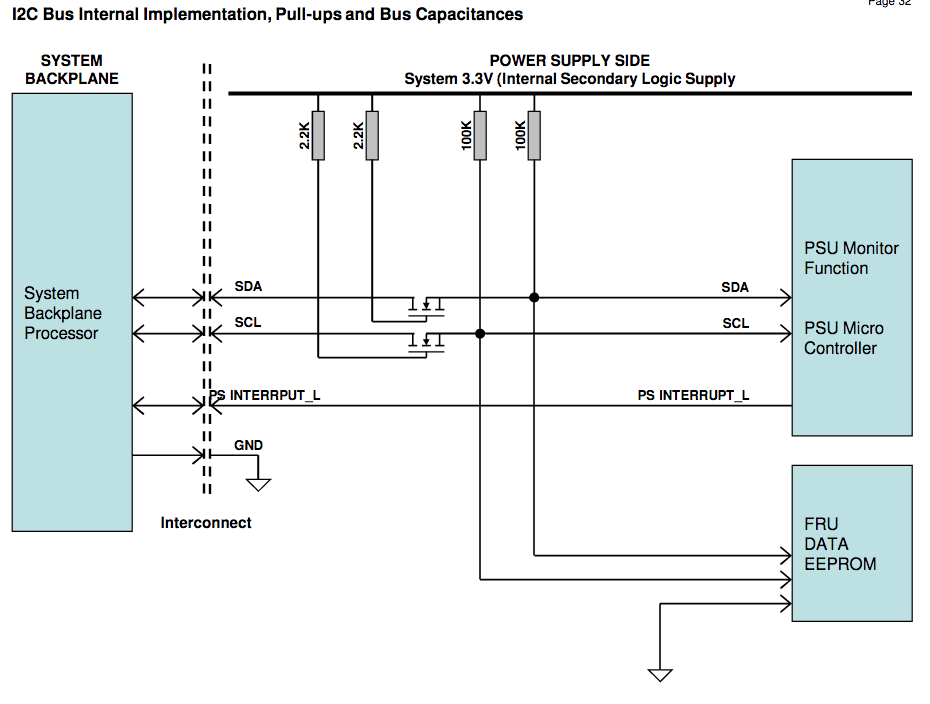 I looked at the output circuit of another server power-supply, which looked like this, I have no idea why this should be needed, or if this is the related to my troubles, I don’t even know if this circuit is used in this PSU.
i2c simple solution
in /boot/config.txt change the i2c line to
- dtparam=i2c_arm=on,i2c_arm_baudrate=30000
]]>
There is a lot of information available for this PSU. So if you want to really get into controlling and monitoring the power-supply you should probably go for this one. I have collected these links to projects and information about the DPS-1200-FB.
- tech manual for similar 1100w PSU by Arrtesyn ds1100ped-3
- Teardown: HP DPS-1200FB 12V 100A PSU
- INCREASING VOLTAGE SERVER SWITCHED POWER SUPPLY
- DPS-1200FB Server Power Supply Fan Control with Arduino
- 1U Front End AC-DC Power Supply
- Hacking HP Common Slot Power supplies – 12V@100A
- Building an extremely high powered 1-12V lab power supply on the cheap
- https://github.com/slundell/dps_charger
- vk4zxi.blogspot.com hacking-high-power-server-power has link to schematic of HP_HSTNS-PL11_PS-2122-1C.pdf
There is an i2c bus connection on these Server PSU used for PMBus, or som proprarity version of it, so lets see what that is all about
- Monitoring and Optimizing AC/DC Power Supply Performance for Different Applications Using PMBusTM
- ACAN-51; PMBus CommunicationProtocol
- ACAN-53: PMBus
 Communication Protocol
 - Using_The_PMBus
- PMBus_App_Profile_ACDC_Server_Power
- Results of reverse-engineering the PIC microcontroller in the HP DPS-1200FB power supply (made by Delta)
These powersupplies does NOT have a 80-plus-gold sticker, so they might be a little less efficient than the DPS-750TB that I normally use, or maybe HP just didn’t want to pay the extra cent to get the sticker – I might do power comparison some time in the future.
]]>
- MKS GEN v1.3 using atmega2560 as used on Tevo Tarantula
- Melzi 2.0 using atmega1284p as used on Tronxy X1
- SKR v1.1 using lpc1768 on home made Prusa i3 Clone
PlatformIO already have a separate directory tree for object files and binaries.
We will have a subdir per board which contains the configuration files, and the platformio.ini, The platformio.ini is comparable to a Makefile, just different syntactic suger.
To do this I want a way to have per printer Configuration.h and Configuration_adv.h files. while sharing the rest. A very simple way to achieve that is to just add -Iprinter_conf_dir fot the C-preprocessor and have it be first in the include search path – but how do we do that in the PlatformIO world?
There is an option build_flags most options will make it into C*FLAGS, but you have no control of the order so no luck here.
With the option extra_scripts you can write your own code to change environment variables and how the system works. To figure out what we can do we create a simple platformio.ini file
[platformio]
src_dir = ../Marlin-git/Marlin
boards_dir = ../Marlin-git/buildroot/share/PlatformIO/boards

[env]
platform = atmelavr
framework = arduino
board = sanguino_atmega1284p
src_filter =  +<src/*> -<src/config> -<src/HAL> +<src/HAL/shared>

[env:show_env]
extra_scripts = pre:show_env.py
print_env.py is a small script which looks like this
Import("env")
print(env.Dump())
When executing “pio run -e show_env” we will see something like this
Processing show_env (platform: atmelavr; framework: arduino; board: sanguino_atmega1284p)
-----------------------------------------------------------------------------------------------------------------
Verbose mode can be enabled via `-v, --verbose` option
{ 'AR': 'ar',
  'ARCOM': '$AR $ARFLAGS $TARGET ${_long_sources_hook(__env__, SOURCES)}',
  'ARCOMSTR': 'Archiving $TARGET',
  'ARFLAGS': ['rc'],
  'AS': 'as',
  'ASCOM': '$AS $ASFLAGS -o $TARGET $SOURCES',
  'ASCOMSTR': 'Compiling $TARGET',
  'ASFLAGS': [],
  'ASPPCOM': '$CC $ASPPFLAGS $CPPFLAGS $_CPPDEFFLAGS '
             '${_long_incflags_hook(__env__, _CPPINCFLAGS)} -c -o $TARGET '
             '$SOURCES',
  'ASPPCOMSTR': 'Compiling $TARGET',
  'ASPPFLAGS': '$ASFLAGS',
  'BOARD': 'sanguino_atmega1284p',
  'BOARD_F_CPU': '16000000L',
  'BOARD_MCU': 'atmega1284p',
  'BUILDERS': { 'Library': ,
                'LoadableModule': ,
                'Object': ,
                'Program': ,
                'SharedLibrary': ,
                'SharedObject': ,
                'StaticLibrary': ,
                'StaticObject': },
  'BUILD_CACHE_DIR': None,
  'BUILD_DIR': '$PROJECT_BUILD_DIR/$PIOENV',
  'BUILD_SCRIPT': '/t470/peter/.platformio/platforms/atmelavr/builder/main.py',
  'BUILD_SRC_DIR': '$BUILD_DIR/src',
  'BUILD_TEST_DIR': '$BUILD_DIR/test',
  'CC': 'cc',
  'CCCOM': '$CC -o $TARGET -c $CFLAGS $CCFLAGS $_CCCOMCOM $SOURCES',
  'CCCOMSTR': 'Compiling $TARGET',
  'CCFLAGS': [],
  'CFILESUFFIX': '.c',
  'CFLAGS': [],
  'COMPILATIONDB_PATH': '$BUILD_DIR/compile_commands.json',
  'CONFIGUREDIR': '#/.sconf_temp',
  'CONFIGURELOG': '#/config.log',
  'CPPDEFPREFIX': '-D',
  'CPPDEFSUFFIX': '',
  'CPPSUFFIXES': [ '.c',
                   '.C',
                   '.cxx',
                   '.cpp',
                   '.c++',
                   '.cc',
                   '.h',
                   '.H',
                   '.hxx',
                   '.hpp',
                   '.hh',
                   '.F',
                   '.fpp',
                   '.FPP',
                   '.m',
                   '.mm',
                   '.S',
                   '.spp',
                   '.SPP',
                   '.sx'],
  'CXX': 'c++',
  'CXXCOM': '$CXX -o $TARGET -c $CXXFLAGS $CCFLAGS $_CCCOMCOM $SOURCES',
  'CXXCOMSTR': 'Compiling $TARGET',
  'CXXFILESUFFIX': '.cc',
  'CXXFLAGS': [],
  'DSUFFIXES': ['.d'],
  'Dir': ,
  'Dirs': ,
  'ENV': ...
  'ESCAPE': ,
  'FRAMEWORKPATH': [],
  'FRAMEWORKS': [],
  'File': ,
  'HOST_ARCH': None,
  'HOST_OS': None,
  'IDLSUFFIXES': ['.idl', '.IDL'],
  'INCPREFIX': '-I',
  'INCSUFFIX': '',
  'LDMODULE': '$SHLINK',
  'LDMODULECOM': '$LDMODULE -o $TARGET $LDMODULEFLAGS $__LDMODULEVERSIONFLAGS '
                 '$__RPATH $SOURCES $_LIBDIRFLAGS $_LIBFLAGS',
  'LDMODULEEMITTER': [],
  'LDMODULEFLAGS': '$SHLINKFLAGS',
  'LDMODULENOVERSIONSYMLINKS': '$SHLIBNOVERSIONSYMLINKS',
  'LDMODULEPREFIX': '$SHLIBPREFIX',
  'LDMODULESUFFIX': '$SHLIBSUFFIX',
  'LDMODULEVERSION': '$SHLIBVERSION',
  'LIBDIRPREFIX': '-L',
  'LIBDIRSUFFIX': '',
  'LIBLINKPREFIX': '-l',
  'LIBLINKSUFFIX': '',
  'LIBPATH': ['$BUILD_DIR'],
  'LIBPREFIX': 'lib',
  'LIBPREFIXES': ['$LIBPREFIX'],
  'LIBSOURCE_DIRS': [ '/net/y/y/3D/Marlin-2.0.x-git/Tronxy_X1/test/lib',
                      '$PROJECT_LIBDEPS_DIR/$PIOENV',
                      '/t470/peter/.platformio/lib'],
  'LIBSUFFIX': '.a',
  'LIBSUFFIXES': ['$LIBSUFFIX', '$SHLIBSUFFIX'],
  'LINK': '$SMARTLINK',
  'LINKCOM': '$LINK -o $TARGET $LINKFLAGS $__RPATH '
             '${_long_sources_hook(__env__, SOURCES)} $_LIBDIRFLAGS $_LIBFLAGS',
  'LINKCOMSTR': 'Linking $TARGET',
  'LINKFLAGS': [],
  'MAXLINELENGTH': 128072,
  'OBJPREFIX': '',
  'OBJSUFFIX': '.o',
  'PIOENV': 'show_env',
  'PIOFRAMEWORK': ['arduino'],
  'PIOPLATFORM': 'atmelavr',
  'PLATFORM': 'posix',
  'PLATFORM_MANIFEST': '/t470/peter/.platformio/platforms/atmelavr/platform.json',
  'PROGNAME': 'program',
  'PROGPREFIX': '',
  'PROGSUFFIX': '',
  'PROG_PATH': '$BUILD_DIR/$PROGNAME$PROGSUFFIX',
  'PROJECTDATA_DIR': '/net/y/y/3D/Marlin-2.0.x-git/Tronxy_X1/test/data',
  'PROJECTSRC_DIR': '/net/y/y/3D/Marlin-2.0.x-git/Marlin',
  'PROJECT_BUILD_DIR': '/net/y/y/3D/Marlin-2.0.x-git/Tronxy_X1/test/.pio/build',
  'PROJECT_CONFIG': '/net/y/y/3D/Marlin-2.0.x-git/Tronxy_X1/test/platformio.ini',
  'PROJECT_CORE_DIR': '/t470/peter/.platformio',
  'PROJECT_DATA_DIR': '/net/y/y/3D/Marlin-2.0.x-git/Tronxy_X1/test/data',
  'PROJECT_DIR': '/net/y/y/3D/Marlin-2.0.x-git/Tronxy_X1/test',
  'PROJECT_INCLUDE_DIR': '/net/y/y/3D/Marlin-2.0.x-git/Tronxy_X1/test/include',
  'PROJECT_LIBDEPS_DIR': '/net/y/y/3D/Marlin-2.0.x-git/Tronxy_X1/test/.pio/libdeps',
  'PROJECT_PACKAGES_DIR': '/t470/peter/.platformio/packages',
  'PROJECT_SRC_DIR': '/net/y/y/3D/Marlin-2.0.x-git/Marlin',
  'PROJECT_TEST_DIR': '/net/y/y/3D/Marlin-2.0.x-git/Tronxy_X1/test/test',
  'PROJECT_WORKSPACE_DIR': '/net/y/y/3D/Marlin-2.0.x-git/Tronxy_X1/test/.pio',
  'PSPAWN': ,
  'PYTHONEXE': '/home/peter/.platformio/penv/bin/python',
  'RANLIB': 'ranlib',
  'RANLIBCOM': '$RANLIB $RANLIBFLAGS $TARGET',
  'RANLIBCOMSTR': 'Indexing $TARGET',
  'RANLIBFLAGS': [],
  'RDirs': ,
  'SCANNERS': [],
  'SHCC': '$CC',
  'SHCCCOM': '$SHCC -o $TARGET -c $SHCFLAGS $SHCCFLAGS $_CCCOMCOM $SOURCES',
  'SHCCFLAGS': ['$CCFLAGS'],
  'SHCFLAGS': ['$CFLAGS'],
  'SHCXX': '$CXX',
  'SHCXXCOM': '$SHCXX -o $TARGET -c $SHCXXFLAGS $SHCCFLAGS $_CCCOMCOM $SOURCES',
  'SHCXXFLAGS': ['$CXXFLAGS'],
  'SHELL': 'sh',
  'SHLIBEMITTER': [],
  'SHLIBPREFIX': '$LIBPREFIX',
  'SHLIBSUFFIX': '.so',
  'SHLINK': '$LINK',
  'SHLINKCOM': '$SHLINK -o $TARGET $SHLINKFLAGS $__SHLIBVERSIONFLAGS $__RPATH '
               '$SOURCES $_LIBDIRFLAGS $_LIBFLAGS',
  'SHLINKFLAGS': ['$LINKFLAGS', '-shared'],
  'SHOBJPREFIX': '$OBJPREFIX',
  'SHOBJSUFFIX': '.os',
  'SMARTLINK': ,
  'SPAWN': ,
  'SRC_FILTER': [ '+ - - + '
                  '+'],
  'STATIC_AND_SHARED_OBJECTS_ARE_THE_SAME': 0,
  'TARGET_ARCH': None,
  'TARGET_OS': None,
  'TEMPFILE': ,
  'TEMPFILEARGJOIN': ' ',
  'TEMPFILEPREFIX': '@',
  'TOOLS': [ 'ar',
             'as',
             'cc',
             'c++',
             'link',
             'platformio',
             'pioplatform',
             'pioproject',
             'piomaxlen',
             'piolib',
             'pioupload',
             'piomisc',
             'pioide',
             'piosize'],
  'UNIX_TIME': 1587916285,
  'UPLOAD_PROTOCOL': 'arduino',
  'UPLOAD_SPEED': 115200,
  '_CCCOMCOM': '$CPPFLAGS $_CPPDEFFLAGS ${_long_incflags_hook(__env__, '
               '_CPPINCFLAGS)}',
  '_CPPDEFFLAGS': '${_defines(CPPDEFPREFIX, CPPDEFINES, CPPDEFSUFFIX, '
                  '__env__)}',
  '_CPPINCFLAGS': '$( ${_concat(INCPREFIX, CPPPATH, INCSUFFIX, __env__, RDirs, '
                  'TARGET, SOURCE)} $)',
  '_LIBDIRFLAGS': '$( ${_concat(LIBDIRPREFIX, LIBPATH, LIBDIRSUFFIX, __env__, '
                  'RDirs, TARGET, SOURCE)} $)',
  '_LIBFLAGS': '${_stripixes(LIBLINKPREFIX, LIBS, LIBLINKSUFFIX, LIBPREFIXES, '
               'LIBSUFFIXES, __env__)}',
  '__DRPATH': '$_DRPATH',
  '__DSHLIBVERSIONFLAGS': '${__libversionflags(__env__,"DSHLIBVERSION","_DSHLIBVERSIONFLAGS")}',
  '__LDMODULEVERSIONFLAGS': '${__libversionflags(__env__,"LDMODULEVERSION","_LDMODULEVERSIONFLAGS")}',
  '__RPATH': '$_RPATH',
  '__SHLIBVERSIONFLAGS': '${__libversionflags(__env__,"SHLIBVERSION","_SHLIBVERSIONFLAGS")}',
  '__libversionflags': ,
  '_concat': ,
  '_defines': ,
  '_long_incflags_hook': ,
  '_long_sources_hook': ,
  '_stripixes': ,
  'toolpath': [ '/t470/peter/.platformio/penv/lib/python3.6/site-packages/platformio/builder/tools']}
CONFIGURATION: https://docs.platformio.org/page/boards/atmelavr/sanguino_atmega1284p.html
PLATFORM: Atmel AVR 2.0.0 > Sanguino ATmega1284p (16MHz)
HARDWARE: ATMEGA1284P 16MHz, 16KB RAM, 127KB Flash
PACKAGES:
 - framework-arduino-avr 5.0.0
 - toolchain-atmelavr 1.50400.190710 (5.4.0)
Converting Marlin.ino
LDF: Library Dependency Finder -> http://bit.ly/configure-pio-ldf
LDF Modes: Finder ~ chain, Compatibility ~ soft
Found 5 compatible libraries
Scanning dependencies...
Dependency Graph
|--  1.0
|--  1.0
Building in release mode
...
Lots of variables, focusing on CPP variables we note that ‘_CPPINCFLAGS’ most likely have the include-file-search-path, if we could only prepend -Imy_conf_dir we would be all set. Another variable PIOENV hold the name of the current environment, we can use that to our advantage, and have per environment config-files.
The script below called prepend_cpppath.py lets the compiler look in a directory with the environment name first, or if it is not present to look in the dir where platformio.ini was located. So if we put our include files there, they will be found first – mission accompliced
import os
Import("env")
if os.path.isdir(env['PIOENV']):
    incdir = env['PIOENV']
else:
    incdir = "."

env['_CPPINCFLAGS'] = "-I%s $( ${_concat(INCPREFIX, CPPPATH, INCSUFFIX, __env__, RDirs, TARGET, SOURCE)} $)" % (incdir)
With this we can create a small setup where it is convenient to have the firmware for all my 3D-printers based on the same source-code-tree. Below is how I have organized my directory layout.
 Makefile               # I like Makefile, it is like my README file
 Marlin-git/            # git clone -b 2.0.x https://github.com/MarlinFirmware/Marlin.git Marlin-git
     platformio.ini
     buildroot/
     Marlin/
         src
         Configuration.h
         Configuration_adv.h
         platformio.ini
         ...
     ...
 platformio.ini         # to compile the default setup for the printers below.
 prepend_cpppath.py
 tronxy_x1/
     Configuration.h
     Configuration_adv.h
     platformio.ini
     tronxy_x1_tiny/
         Configuration.h
         Configuration_adv.h
         platformio.ini
 tarantula/
     Configuration.h
     Configuration_adv.h
     platformio.ini
 skr-v1.1/
     Configuration.h
     Configuration_adv.h
     platformio.ini
 build/                 # Files generated by PlatformIO
     skr-v1.1/
     tarantula/
     tronxy_x1/
 lib/                   # libraries put here will override those below
 libdeps/               # libraries downloaded by PlatformIO automagically
     skr-v1.1/
     tarantula/
     tronxy_x1/
The content of the tronxy_x1/platformio.ini
# Marlin-2 via PlatformIO for Tronxy X1
# tronxy_x1: using NewLiquidCrystal over I2C via Wire
# tronxy_x1_tiny: using LCD_I2C_Tiny via SoftI2CMaster

[my]
top          = ..
hal_dir      = ${my.top}/Marlin-git/Marlin/src/HAL
script_dir   = ${my.top}/Marlin-git/buildroot/share/PlatformIO/scripts

[platformio]
libdeps_dir  = ${my.top}/libdeps
build_dir    = ${my.top}/build
lib_dir      = ${my.top}/lib
src_dir      = ${my.top}/Marlin-git/Marlin
boards_dir   = ${my.top}/Marlin-git/buildroot/share/PlatformIO/boards
default_envs = tronxy_x1, tronxy_x1_tiny

[common]
default_src_filter = + - - + +
extra_scripts = pre:${my.script_dir}/common-cxxflags.py
build_flags = -fmax-errors=5 -g -D__MARLIN_FIRMWARE__ -fmerge-all-constants -DUSE_MAKE
lib_deps      = LiquidCrystal

[env]
platform      = atmelavr
framework     = arduino
board         = sanguino_atmega1284p
build_flags   = ${common.build_flags}
lib_deps      = ${common.lib_deps}
monitor_speed = 250000
upload_speed  = 115200
src_filter    = ${common.default_src_filter}
extra_scripts = pre:../prepend_cpppath.py

[env:show_env]
extra_scripts = pre:../show_env.py

[env:tronxy_x1]
build_flags   = ${common.build_flags}
  -DLCD_I2C
  -DCUSTOM_MACHINE_NAME="\"Tronxy X1 24Apr2020\""
lib_deps      = ${common.lib_deps}

[env:tronxy_x1_tiny]
# with platformio saves text=246 data=8 bss=1
# Arduino the saving were text=642 data=18 bss=182
build_flags   = ${common.build_flags}
  -DLCD_I2C_TINY
  -DCUSTOM_MACHINE_NAME="\"Tronxy x1 24Apr2020\""
lib_deps      =
  SoftI2CMaster=https://github.com/todbot/SoftI2CMaster.git
  LiquidCrystal_I2C_Tiny=https://github.com/SpenceKonde/LiquidCrystal_I2C_Tiny.git
lib_ignore    = Wire
The special thing here is that I can be working on a version using LCD_Tiny to save some flash which is the bottleneck on this CPU
The top platformio.ini have all that is needed to compile firmware for all my 3D-printers (envs), the file is below:
# Marlin Firmware for my 3D printers
# PlatformIO Configuration File
#
# For detailed documentation with EXAMPLES:
# http://docs.platformio.org/en/latest/projectconf.html

[my]
top          = .
hal_dir      = ${my.top}/Marlin-git/Marlin/src/HAL
script_dir   = ${my.top}/Marlin-git/buildroot/share/PlatformIO/scripts

[platformio]
libdeps_dir  = ${my.top}/libdeps
build_dir    = ${my.top}/build
lib_dir      = ${my.top}/lib
src_dir      = ${my.top}/Marlin-git/Marlin
boards_dir   = ${my.top}/Marlin-git/buildroot/share/PlatformIO/boards
default_envs = tronxy_x1, tarantula

[common]
default_src_filter = +<src/*> -<src/config> -<src/HAL> +<src/HAL/shared>
extra_scripts = pre:${my.script_dir}/common-cxxflags.py
build_flags = -fmax-errors=5 -g -D__MARLIN_FIRMWARE__ -fmerge-all-constants
lib_deps = LiquidCrystal

[env]
framework     = arduino
build_flags   = ${common.build_flags}
lib_deps      = ${common.lib_deps}
monitor_speed = 250000
upload_speed  = 115200
extra_scripts = pre:prepend_cpppath.py

[env:show_env]
extra_scripts = pre:show_env.py

[env:tarantula]
platform      = atmelavr
board         = megaatmega2560
src_filter    = ${common.default_src_filter} +<src/HAL/AVR>
build_flags   = ${common.build_flags}
  -DCUSTOM_MACHINE_NAME="\"Tarantula 26Apr2020\""

[env:tronxy_x1]
platform      = atmelavr
board         = sanguino_atmega1284p
src_filter    = ${common.default_src_filter} +<src/HAL/AVR>
build_flags   = ${common.build_flags}
  -DLCD_I2C
  -DCUSTOM_MACHINE_NAME="\"Tronxy X1 24Apr2020\""


#
# NXP LPC176x ARM Cortex-M3
#
[env:LPC1768]
platform          = https://github.com/p3p/pio-nxplpc-arduino-lpc176x/archive/0.1.2.zip
board             = nxp_lpc1768
build_flags       = -DU8G_HAL_LINKS -I${my.hal_dir}/LPC1768/include -I${my.hal_dir}/LPC1768/u8g ${common.build_flags}
# debug options for backtrace
#  -funwind-tables
#  -mpoke-function-name
lib_ldf_mode      = off
lib_compat_mode   = strict
extra_scripts     = ${my.hal_dir}/LPC1768/upload_extra_script.py
src_filter        = ${common.default_src_filter} +<src/HAL/LPC1768>
lib_deps          = LiquidCrystal
I haven’t made up my mind if I like PlatformIO yet.
My first reaction was: why bother, we have Makefiles, and OpenWRT and BSD-ports have showed us how to get/compile full systems long before PlatformIO was invented.
On the other hand it only took me a day or two to figure out a solution to my problem, and it only required a few lines of code, so it seems PlatformIO is highly flexible.
The real power with PlatformIO (and OpenWrt Makefiles) is that somebody already did most of the work and integrated everything for you, so you can create one of their precooked meals without much effort. I seem to always to end up with a desire to use it a little differently.
The good news is: if PlatformIO do not do work the way you think is should work – you can fix it, without too much effort !
If you like me prefer the commandline over the Arduino-IDE or other click-systems, you will be better of adopting the PlatformIO to compile Marlin, than try to get the supplied Makefile to do what you want.
Stay tuned, there might be more coming,
]]>